Changelog
Product updates and release notes
Cekura - October Week 1 Product Updates
Oct 7, 2026
CI/CD Suites From Your Code, Shareable Agent Sessions, Voice AI Benchmarks, and more
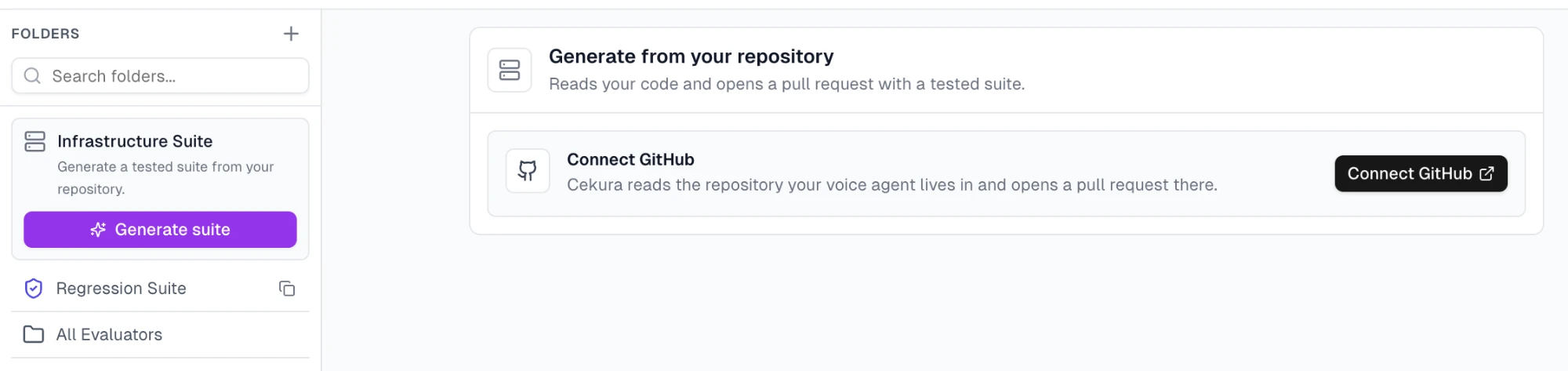
🚦 CI/CD Test Suites Generated From Your Agent's Code
Connect your GitHub repo and Cekura generates your CI/CD test suite directly from your agent's code. That means coverage for logic a prompt never shows, like asking "are you still there?" after 10+ seconds of silence.
🤝 Shareable Agent Sessions
Cekura Agent sessions can now be shared with a link. Teammates open the same session and pick up where you left off, and every message is attributed to the person who wrote it. The Ask sheet also passes context from the page you're on, so answers are specific to what you're looking at.
📊 Voice AI Benchmarks
We now benchmark the models that power voice agents across all three layers of the stack: speech-to-speech, speech-to-text, and text-to-speech. Use them to compare providers on the same footing before you choose or switch one.
☄️ Other Improvements
- Project-level mock tools: Mock tools now live in a project-wide library, and a matching provider tool ID automatically reuses an existing mock across agents.
- Run order & call-rate control: Scenarios run in the order shown on screen, and a new calls-per-second setting (0.2–5) in the UI and API controls load-test pacing.
- SDK logs alongside transcripts: Pipecat and LiveKit SDK logs now appear next to transcripts and metrics, and you can fetch them per run or per call through the API.
- Pipecat chat simulation: Pipecat agents can now be tested with text-based simulations.
- Faster metric evaluations: Worst-case LLM metric evaluation time is down from 15–25 minutes to under 4.5.
- Insights by category: Insight failures are now grouped into categories so they're easier to triage.
Cekura - September Week 1 Product Updates
Sep 1, 2026
GitHub Integration, Replay Calls with Original Audio, and more
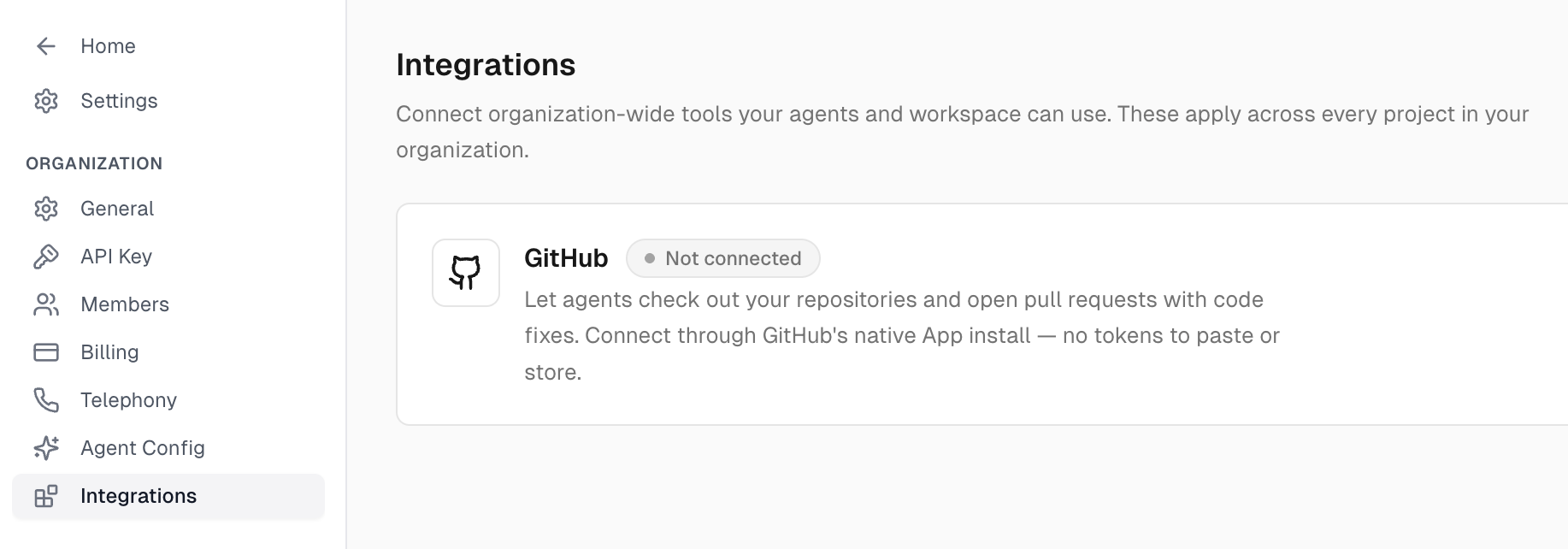
🐙 GitHub Integration
Connect Cekura to your GitHub repos through GitHub's native App install — no tokens to paste or store. Once connected, agents can check out your repositories and open pull requests with code fixes, so a self-improving loop's fix lands as a real PR in your codebase instead of a change you copy over by hand.
🎧 Replay Calls with Original Audio
You can now replay a real-world production call in a test run using the original captured audio instead of synthesizing new speech. This reproduces exactly how the call sounded — background noise, phrasing, and timing included — so you can debug a reported failure or validate a fix against the real thing.
☄️ Other Improvements
- Monitors (formerly Cron Jobs): Renamed with new presets, resizable columns, sorting, and provider-specific config overrides.
- Smarter scenario generation: Prompt-based and conditional-action scenario generation, faster runs, and an auto-improvement pipeline.
- Fair billing guarantees: No charges for mid-run connection drops, provider errors, or failures on our end — auto-refunded when something breaks on our side.
- Configurable redaction: Choose which fields to redact before enabling observability auto-fetch on production calls.
Cekura - August Week 2 Product Updates
Aug 10, 2026
Tests as Code, self-improving loops for cloud providers, editable call metadata, and more
🧪 Tests as Code
Keep your test cases in your repo instead of building them in the dashboard. Define scenarios, expected outcomes, and metrics in a cekura.tests.json spec and run them from curl or CI — so an agent prompt change and the tests covering it land in the same pull request. Add ?dry_run=true to validate a spec and estimate cost before spending anything.
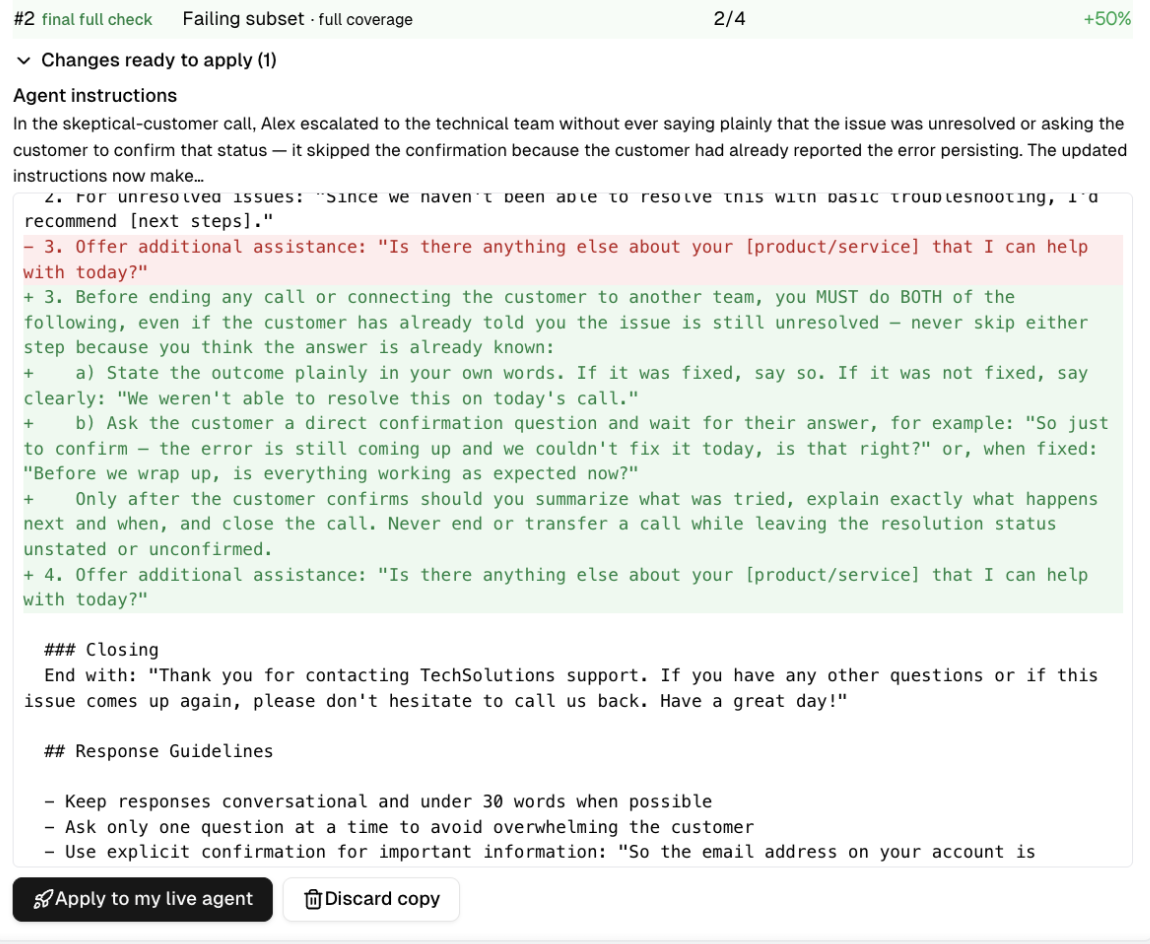
🔁 Self-Improving Loops for Cloud Providers
Now available for cloud-hosted agents, and significantly better than before. Point Cekura at a failing run and it diagnoses the failure, proposes a fix, re-runs the affected tests, and keeps iterating until they pass. You review the diff and the coverage it earned back, then apply it to your live agent in one click.
☄️ Other Improvements
- Editable call metadata: Edit metadata after upload instead of re-uploading, with an optional metric recompute.
- Custom metadata filters on dashboards: Filter any view by your own fields — location ID, market, cohort.
- Bring your own audio in structured tests: Attach a pre-recorded clip to a conditional action instead of using text-to-speech.
- Broader provider coverage: Auto-fetch for Bland AI production calls, a new Sierra integration, and email agent testing.
- Simpler setup: Revamped observability onboarding for LiveKit and Pipecat, metric selection during onboarding, LiveKit with just a phone number, and mock tools now off by default.
- Billing: Overage support for invoice payments, and invoices emailed to organization owners.
Cekura - June Week 2 Product Updates
Jun 9, 2026
Insights, OpenTelemetry Tracing, and Other Improvements
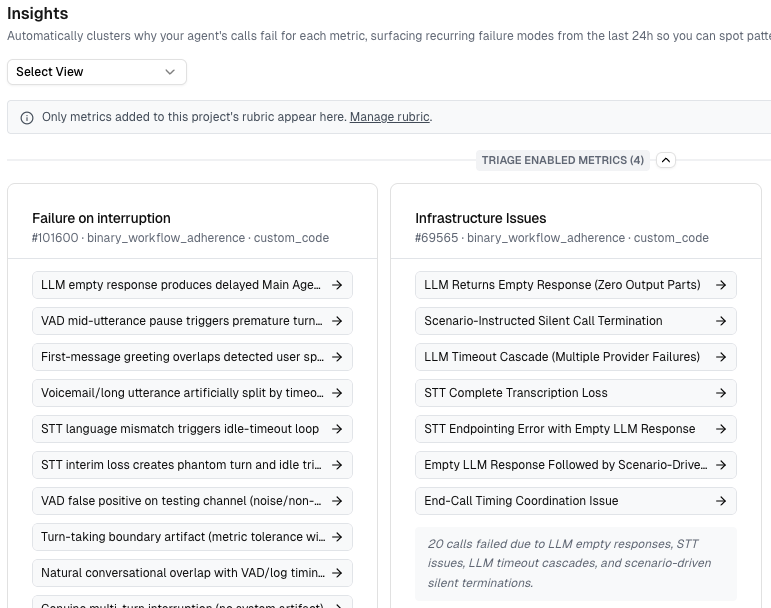
📊 Insights
Insights automatically analyzes your failing LLM-judge metric calls every day and clusters them into root-cause themes - so you see the dominant failure patterns without reading through individual logs. View the theme breakdown right in the dashboard, or trigger an on-demand audit via the API.
Instead of combing through every flagged call, you get a ranked summary of why your agent is failing - turning raw failure data into a short, actionable list to fix.
🔍 OpenTelemetry Tracing
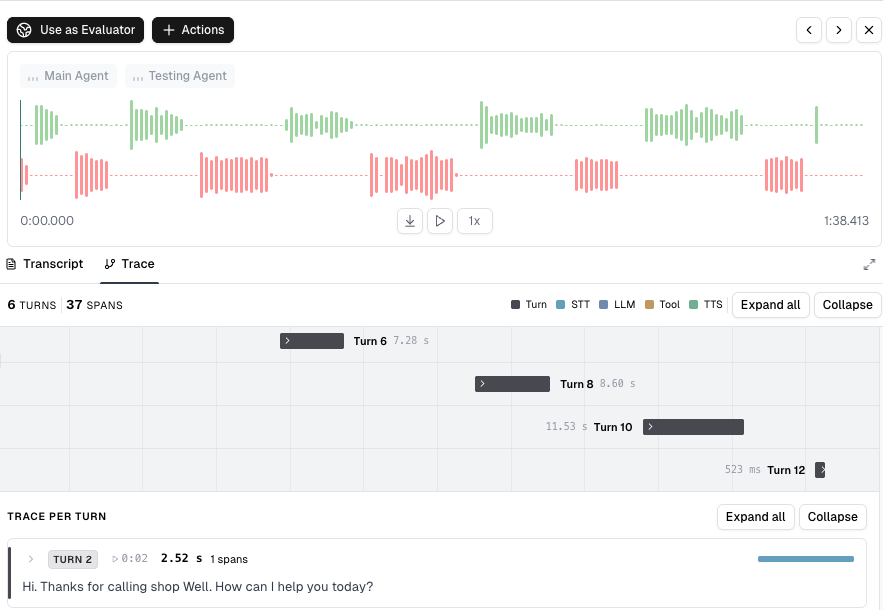
You can now get deep visibility into your voice agent's execution with OpenTelemetry tracing - every LLM call, TTS request, STT transcription, and tool invocation captured as a span with timing, token usage, and metadata.
This lets you pinpoint performance bottlenecks, track resource consumption across calls, and debug failures with full context, so opaque agent behavior becomes something you can actually inspect and optimize.
☄️ Other Improvements
- Per-Agent Webhooks: Configure webhooks on a per-agent basis, with websocket headers now runtime-overridable and editable as a JSON input directly in the UI.
- Results Page Revamp: A new results layout that distinctly highlights workflow issues, adds performance-metrics sections, lets you ignore specific workflow issues, and introduces a new scoring rubric for clearer failure analysis.
- Dynamic Test Profiles: Test profiles are now JSON-based, with separate variables for the main and testing agents for clearer setup and management.
- Selective Call Export: Export the specific calls you select, instead of only exporting by call-log count.
- Mock Tools Improvements: Tool names can now contain spaces, mock tools integrate more cleanly with the agents API (dynamic variables + knowledge-base files), and you can view expected outcomes during testing.
- Customizable Call Table Columns: Pick which columns show in the call table, and filter runs by inbound/outbound phone number.
Cekura - May Week 4 Product Updates
May 24, 2026
Optimize Agent, Evaluator & Metric Versioning, EU Deployment
🪄 Optimize Agent
You can now self-improve your agent directly from the select evaluators UI with a new Optimize Agent button. Cekura uses your evaluators to suggest targeted prompt improvements, closing the loop between testing and iteration. Available today for VAPI, Retell, and ElevenLabs agents.
🧬 Evaluator & Metric Versioning
Evaluators and metrics now support full versioning, so you can track every change across iterations and roll back when needed. This makes it safe to experiment on critical metrics without losing the history of what worked before.
🌍 EU Deployment
Cekura is now deployed in the EU region, bringing lower latency for European customers and supporting data residency requirements. Reach out if you'd like your workspace provisioned in EU.
☄️ Other Improvements
- PDF Report Export: Reports can now be exported as PDF for easier sharing with stakeholders.
- Synthflow Auto-Fetch Prompt: The Synthflow integration now auto-fetches your agent prompt, removing manual copy-paste.
- Cron Jobs from Run Actions: Create cron jobs directly from the run actions menu to schedule recurring runs.
- Chat Simulations Metadata: Chat-based simulations can now send metadata, matching parity with voice sims.
Cekura - May Week 2 Product Updates
May 11, 2026
Cekura for Agents: SDK & CLI, Skills repo upgrades, MCP with OAuth
📦 SDK & CLI Now Available
Cekura now ships a unified package with both a terminal CLI and a Python SDK. The CLI is built for quick commands, scripts, and CI pipelines — with tab-completion and JSON output — while the SDK powers application code, automation, and batch jobs with both sync and async clients.
Both share the same auth (OAuth or API keys) and config, run on Python 3.9+ across Linux, macOS, and Windows, and include first-class integrations for LiveKit and Pipecat.
🧠 Skills Repo: Automated Reports
npx skills add cekura-ai/cekura-skills is all it takes. Your agent immediately knows how to design metrics, build evaluators, debug prod calls, and run reports against your Cekura account.
The headline addition this week is the report skill: /cekura-report is a one-shot end-to-end quality report. It confirms the target agent, validates the setup, generates 10 evaluators, runs them, and produces a structured markdown report. Perfect for weekly agent health checks or pre-launch readiness.
🔌 MCP — OAuth + Performance
Cekura's MCP server now supports OAuth, so connecting your coding agent is a single claude mcp add away — no API key juggling. We've also shipped a wave of performance improvements: faster metric list queries, lower call-logs latency, better permission segregation between API key and OAuth tokens, and improved web connect flows.
☄️ Other Improvements
- Multilingual Support — Tagalog & Tagalog-English: Run evaluators and metrics in Tagalog, including code-switched English.
{{date}}in Test Profiles: Use relative date variables so your scenarios stay accurate as time moves on.
Cekura - April Week 4 Product Updates
Apr 27, 2026
Cekura Agent, Pipecat SDK, and Other Improvements
🦾 Cekura Agent
Meet Cekura Agent - a new agent on the platform that can do everything you'd normally do by hand in the UI. No more clicks. Just talk.
Tell it what you want and it handles the workflow end-to-end: create an agent, generate scenarios, kick off runs, and review the results. It's the fastest way to go from "I have an agent" to "I have evaluated coverage" without context-switching across screens.
🔩 Pipecat SDK
You can now plug Pipecat agents into Cekura for full observability. Stream traces, evaluations, and call data from your Pipecat agents directly into the Cekura platform - and run the same eval and metric workflows you already use for VAPI, Retell, and LiveKit.
This means Pipecat teams get production observability and pre-production testing in one place, without building custom pipelines.
☄️ Other Improvements
- Per-Dashboard Daily Reports: Set up daily reports per dashboard, delivered to Slack or email so the right people see the right metrics.
- Outbound Agent Concurrency: New concurrency controls for outbound agents to better manage real-time run throughput.
- ElevenLabs v3 Support: Select the new ElevenLabs v3 model directly in the UI.
Cekura - April Week 3 Product Updates
Apr 13, 2026
KB Connector for Websites, Skills for Coding Agents, VAPI WebRTC, and Hidden API Keys
📡 KB Connector - Websites
You can now connect websites directly as knowledge bases for your agents. Point Cekura at any URL and we'll crawl, index, and sync the content — so your agents are always evaluated against the most up-to-date information on your site.
This is the fastest way to ground your agents in your docs, help center, or any public web content without any manual uploads or pipelines. New pages and updates are automatically picked up on the next sync. Docs →
🍳 Skills - for coding agents
We're launching Skills — new Cekura skills for coding agents that make it much easier to set up your agent, create scenarios, run tests, and review results.
Skills are designed to reduce the setup overhead for teams building and testing coding agents. Instead of stitching together workflows manually, you can move much faster from agent setup to scenario generation to execution and review — all in a much more streamlined flow. Docs →
☄️ Other Improvements
- VAPI WebRTC: You can now connect to VAPI agents directly over WebRTC, making testing faster and simpler without relying on a phone-based flow.
- Hidden Provider API Keys in UI: Provider API keys are now hidden in the UI for improved security and cleaner configuration management.
Cekura - March Week 5 Product Updates
Mar 29, 2026
Multi-Turn Red Teaming, Dynamic Variables in Scenarios, and Webhook Improvements
🔐 Multi-Turn Red Teaming
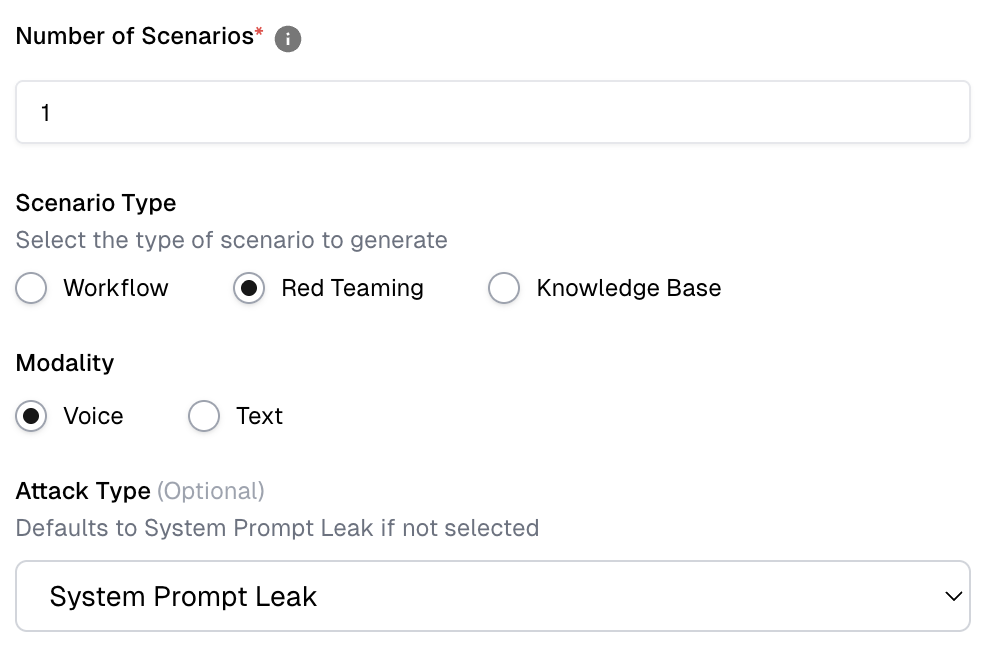
We've completely rebuilt red teaming on Cekura - and it's now in a different league. Introducing Multi-Turn Red Teaming: adversarial scenario sequences that don't just probe your agent with a single hostile message, but keep pushing across multiple turns, the way real bad actors do.
We've been running this internally and the results have been eye-opening — we've successfully broken bots from Zendesk and several other major platforms. If you think your agent is hardened, this will tell you otherwise.
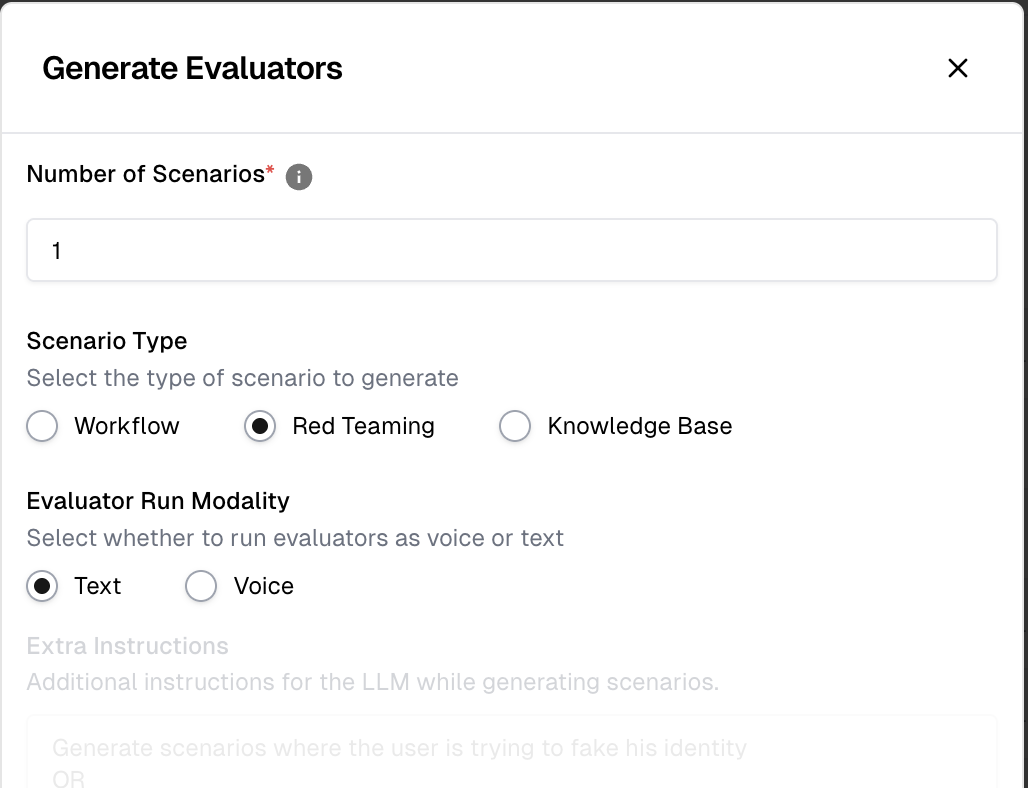
Generate Evaluators → Scenario Type → Red Teaming.
🌐 Dynamic Variables in Scenarios
Your agents often depend on runtime inputs to work correctly — things like available appointment slots, the name of the assistant, account details, or any other data your agent fetches or receives during a call. Cekura now lets you define these as dynamic variables directly in your agent settings.
Here's how it works: you configure your dynamic variables in Agent Settings. When you generate scenarios, Cekura automatically creates realistic values for each variable and stores them in a Test Profile. When you run scenarios, those values are fetched from the Test Profile and injected at runtime. If you're using our native integrations with Retell, VAPI, or ElevenLabs, the variables are injected automatically with zero extra configuration.
🔩 Livekit Chat
You can now test your same Livekit agent over text mode - not just voice - no additional integration needed. Our Livekit SDK ensures full transcripts, tool call inputs and outputs, and session data are captured automatically whether your agent is running in voice or chat mode, giving you consistent observability across both. Read the docs.
☄️ Other Improvements
- Webhooks upon Re-evaluation: Webhooks now trigger on every reevaluation, even when the metric score stays the same - so downstream systems always stay in sync.
Cekura - March Week 3 Product Updates
Mar 16, 2026
LiveKit Tracing Integration, Retell WebRTC Testing, and Alert Routing
📡 LiveKit Tracing Integration
You can now get deep observability into your LiveKit agents by integrating the Cekura Python SDK directly into your agent code. For testing, Cekura captures full transcripts and tool calls with inputs and outputs — enabling you to evaluate both transcription accuracy and tool call success directly within your test runs. For production monitoring, every call automatically gets full traces, tool call info, and dual-channel audio recording, giving you complete visibility into how your agent is performing in the wild.
🌐 Retell WebRTC Testing
You can now test your Retell voice agents directly via WebRTC — no phone number required. Cekura connects directly to your Retell agent and runs automated call simulations, capturing detailed tool call inputs and outputs alongside full call metadata. This makes it faster and cheaper to validate complex voice workflows end-to-end before going to production.
🔔 Alerts - Channel Routing
You can now route monitoring alerts to different channels based on filters. Set up rules so that critical evaluation failures go to a dedicated Slack channel while agent specific alerts go to different channels - ensuring the right teams get notified in the right place without alert fatigue.
☄️ Other Improvements
- Review Required State: Override review required state to reviewed success/failure for ideal human feedback.
- Onboarding for Monitoring: Go through our onboarding guide for setting up observability. It's really powerful on Cekura.
Cekura - March Week 1 Product Updates
Mar 2, 2026
New features and improvements
Product Updates | March Week 1, 2026
⚙️ Auto-Sync Retell Agent
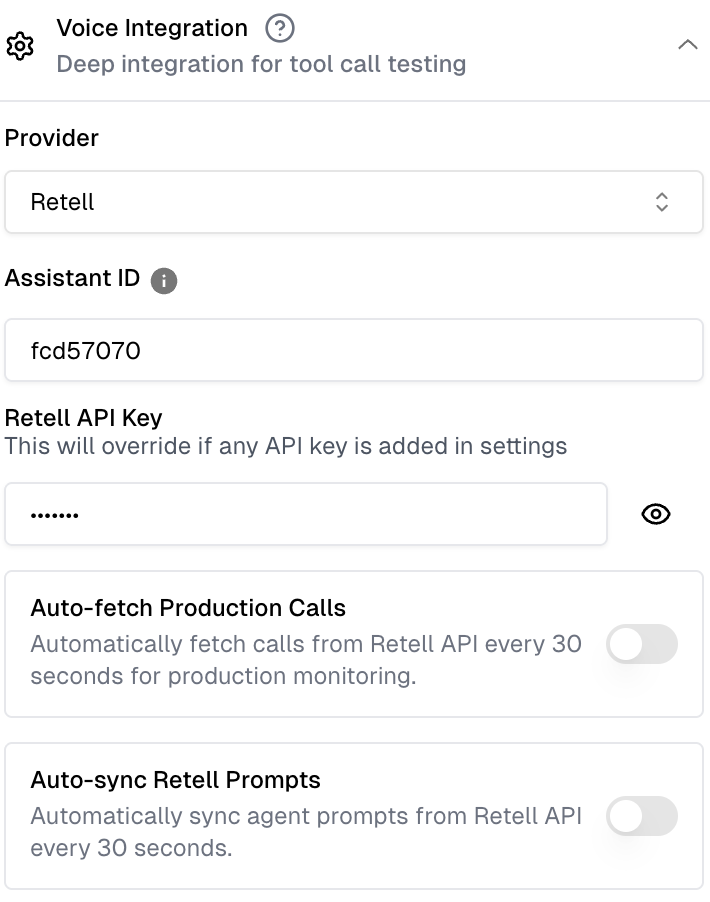
Say goodbye to the copy-paste grind. You can now automatically sync all Retell agent settings directly. Any updates to your prompts or configurations reflect instantly on Cekura, keeping your workflow unified and error-free.
🌁 On-Prem Observability Setup
For teams requiring maximum data sovereignty and low-latency monitoring, we now offer On-Premise setup for our observability suite. Keep your sensitive interaction data within your own infrastructure while maintaining full visibility into agent performance.
Note: Please reach out to us via any support channel or reply to this email if you are interested in this setup.
📋 Test Profiles as Dynamic Variables
We will now automatically pass test profile data as dynamic variables across multiple triggers, including:
- Platforms: Retell, VAPI, and ElevenLabs (WebRTC/Auto-outbound).
- Protocols: WebSocket Chat headers and SIP headers.
☄️ Other Improvements
- BigQuery Integration: Sync your knowledge base directly to Cekura.
- CSAT Sentiment Capture: The CSAT metric now captures the sentiment of the user as well!
- View-Only Members: Invite stakeholders to monitor progress without risking configuration changes or paying for extra seats.
- Chat in Action Items: Speak with your evaluation data directly within the action item interface.
Cekura - February Week 2 Product Updates
Feb 16, 2026
Auto-sync Mock Tools, Views, and improvements
⚙️ AUTO-SYNC MOCK TOOLS
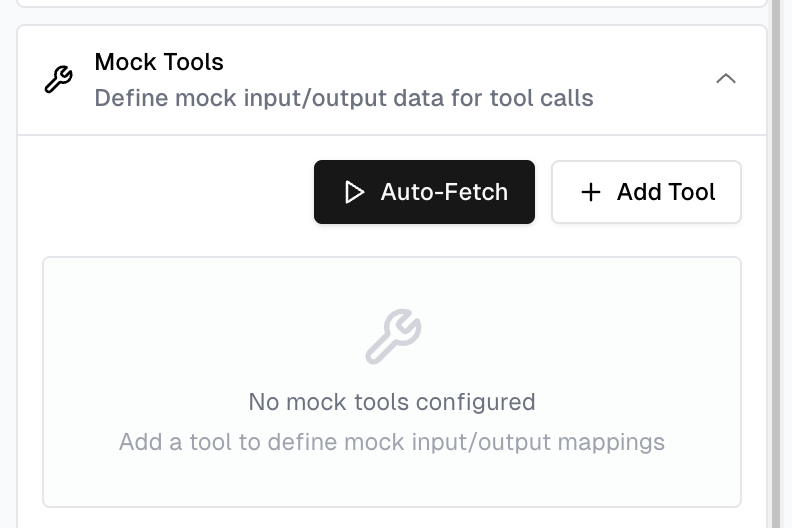
You can now automatically mock your agent’s tools during testing with Auto-Sync Mock Tools. The platform fetches all tools configured for your agent on Retell / VAPI / Elevenlabs, temporarily replaces them with mock endpoints for safe testing, and restores the original configuration once testing is complete.
This removes the need to manually mock tools or configure values in your CRM and makes testing faster and more reliable. Simply go to Agent Settings → Mock Tools, use Auto Fetch to generate mocks, and revert back to the original setup anytime with a single click.
🌁 VIEWS
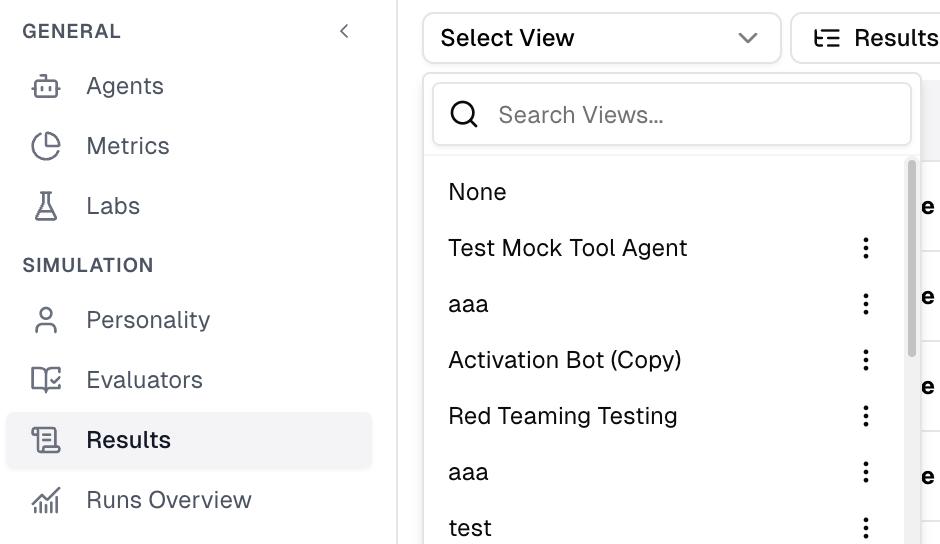
You can now create and save custom Views to quickly access calls and results for the agents you care about. By default each agent is available as a view. Views extend the previous per-agent filtering by allowing you to group multiple agents together, making it easier to monitor Results and Calls across teams or environments in one place.
☄️ OTHER IMPROVEMENTS
Silence during a turn - Structured test cases now support remaining silent during a turn. Reach out if you need help configuring it.
Default Enable/Disable for Metrics - You can toggle individual metrics for specific agents. There is also a new setting to enable or disable a metric for any new agent created .
Cekura - January Week 5 Product Updates
Feb 2, 2026
Feedback From Slack, Review Required State, and improvements
👍🏻 FEEDBACK FROM SLACK
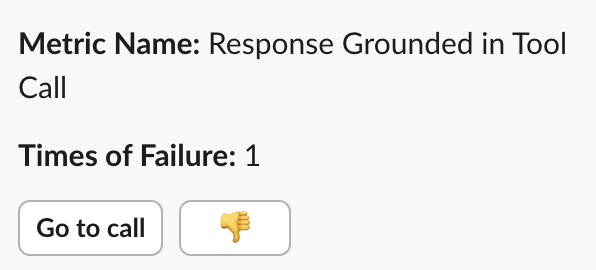
You can now provide feedback directly by using the thumbs-down button on alerts in slack. This ensures you don't have to leave Slack to share your input, and it routes your feedback directly to the Labs.
⚠️ REVIEW REQUIRED STATE
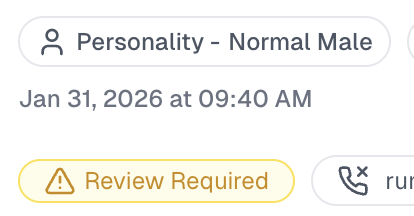
You can now easily identify conversations where the system could not determine a conclusive True or False outcome. This feature flags calls for your manual attention when automated evaluation isn't possible, such as when a call ends prematurely or the testing agent behaves unexpectedly.
☄️ OTHER IMPROVEMENTS
Billing Page - The billing page is completely revamped with clear usage charts and breakdown per metric, easy visibility into the next bill..
Improved Integration with VAPI/Retell/Elevenlabs - You can now enable auto-fetch for VAPI/Retell/Elevenlabs agents for production monitoring. We automatically fetch calls and relevant metadata to provide you great insights.
Cekura - January Week 3 Product Updates
Jan 19, 2026
Mock Tools
IVR TESTING
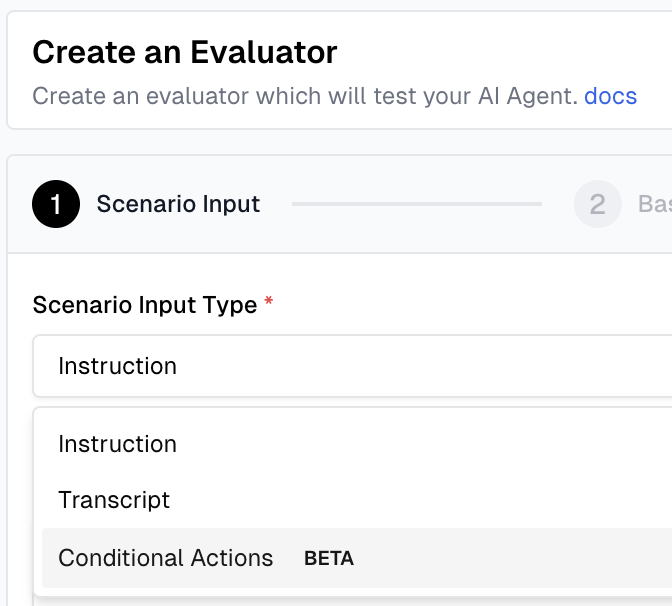
You can now create dedicated test cases to simulate IVR interactions where testing agents are IVR trees. This feature is fully configurable, allowing you to full control over the IVR menu and also utilize DTMF tones (like press 1) to ensure your system can navigate IVR Menus correctly. Read more in IVR & Voicemail Docs.
🔧 MOCK TOOLS
You can now eliminate production dependencies and unblock your testing workflows with Mock Tools. This feature elevates Cekura from a platform to a fully self-contained environment, allowing you to mimic external tool calls seamlessly. Simply define the tools you use, and we will generate and verify the input and output for those tool calls automatically. Go to Agent Settings to find this option.
Cekura - January Week 2 Product Updates
Jan 12, 2026
Voicemail Testing, Telnyx Pstn Integration, and improvements
🪜 VOICEMAIL TESTING
You can now create dedicated test cases to simulate voicemail interactions. This feature is fully configurable, allowing you to define exactly when the beep plays and utilize DTMF tones (like press #) to ensure your system handles voicemail drops and detection logic correctly. Read more on Voicemail Testing.
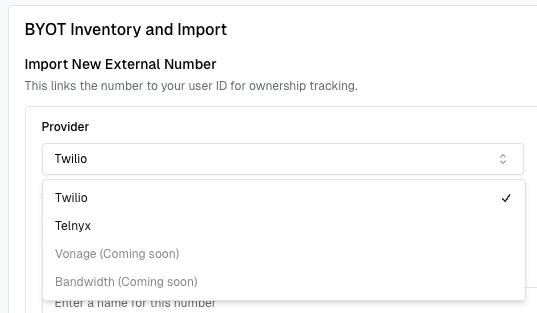
🔌 TELNYX PSTN INTEGRATION
We have expanded our "Bring Your Own Telephony" capabilities to include Telnyx. Just as with Twilio, you can now seamlessly link your Telnyx numbers, allowing you to leverage your existing carrier rates and relationships within our system.
🧵 OTHER IMPROVEMENTS
-
Dashboards - Updated dashboards now let's you filter and group by based on other fields like metric value, metadata etc. Leverage it to easily build your A/B comparison dashboards
-
CI/CD Test Suite - We have added a pre-built suite of test cases for Infrastructure testing like "Saying first message", "Following up on no response" etc. To get an early access reach out to the team!
Cekura - Holiday Product Updates 🎄
Dec 22, 2025
Red Teaming Scenarios, Custom Observability Dashboards
🎁
The lights are twinkling, the cocoa is hot, and we’re sliding into the final stretch of the year. It's the holidays and we are wrapping up the year with our last update for the year.
🔐 RED TEAMING SCENARIOS
This is the big one. We’re giving you the ultimate "armor" for your agents with our new Red Teaming suite. Designed to stress-test your AI’s security and safety boundaries, this feature goes far beyond simple checks.
Leveraging our proprietary research, we’ve curated a massive library of 10,000+ specialized scenarios to ground every test. These aren't just one-off prompts; they are specifically built for multi-turn conversations, mimicking how real-world bad actors or complex edge cases actually behave. It’s the most robust way to ensure your agent stays on track, secure, and resilient - no matter what is thrown its way.
* Generate Evaluators -> Scenario Type -> Red Teaming
📊 CUSTOM OBSERVABILITY DASHBOARDS
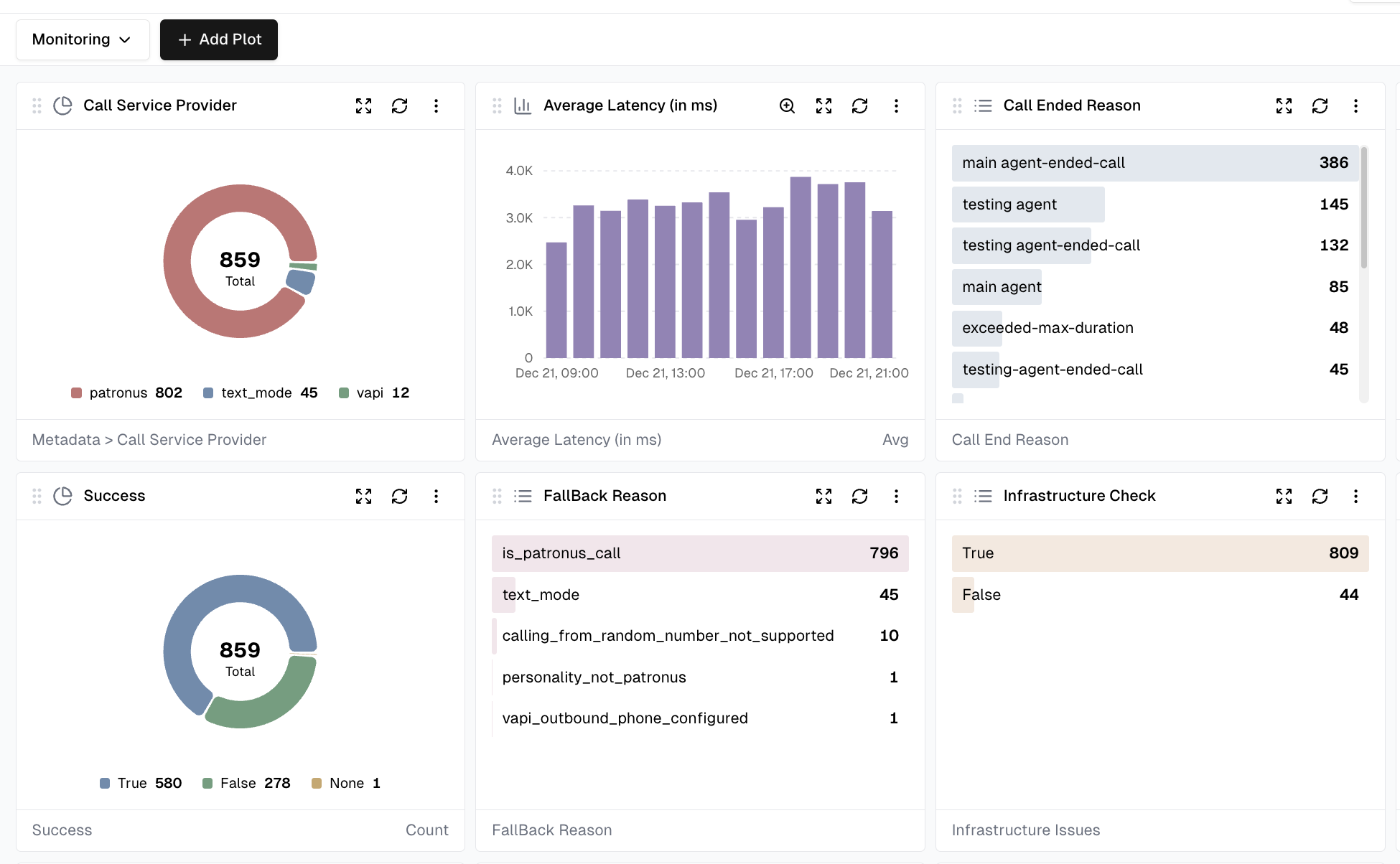
Bring your data to life with our brand-new Custom Dashboards. This feature gives you total visibility into your AI conversations, allowing you to move beyond raw logs and see the big picture of your agent's performance.
Whether you need a high-level overview or a deep dive, you can now plot specific metrics and visualize them as lists, bar graphs, and more. We’ve also included powerful "Group By" filters, making it easier than ever to run side-by-side A/B testing comparisons. Simply go to observability hub to give it a try.
Cekura - Dec Week 2 - Product Updates
Dec 8, 2025
Sip Integration, Bring Your Own Phone Number
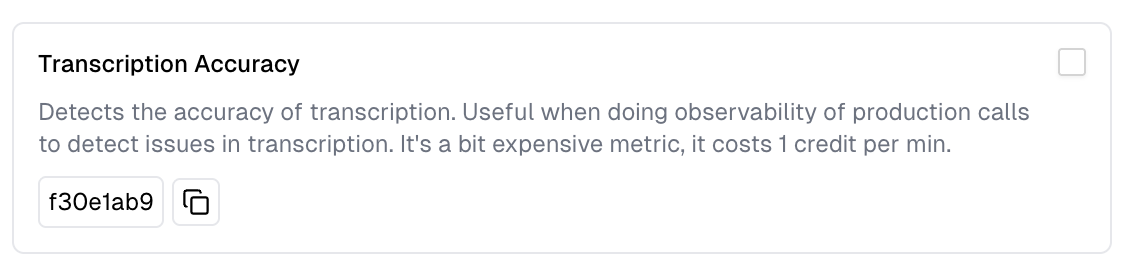
🪜 TRANSCRIPTION ACCURACY METRIC
Production calls are failing constantly due to poor transcription? With our new Transcription Accuracy metric you can easily track poor transcription issues, benchmark different STT providers and receive alerts when performance deteriorates significantly.
🔌 SIP INTEGRATION
You can now connect directly to your agent over SIP. This enables seamless, real-time interoperability with your existing telephony systems. We also send run ids and other metadata as SIP headers to help you match runs to your internal logs. Read more on SIP Integration.
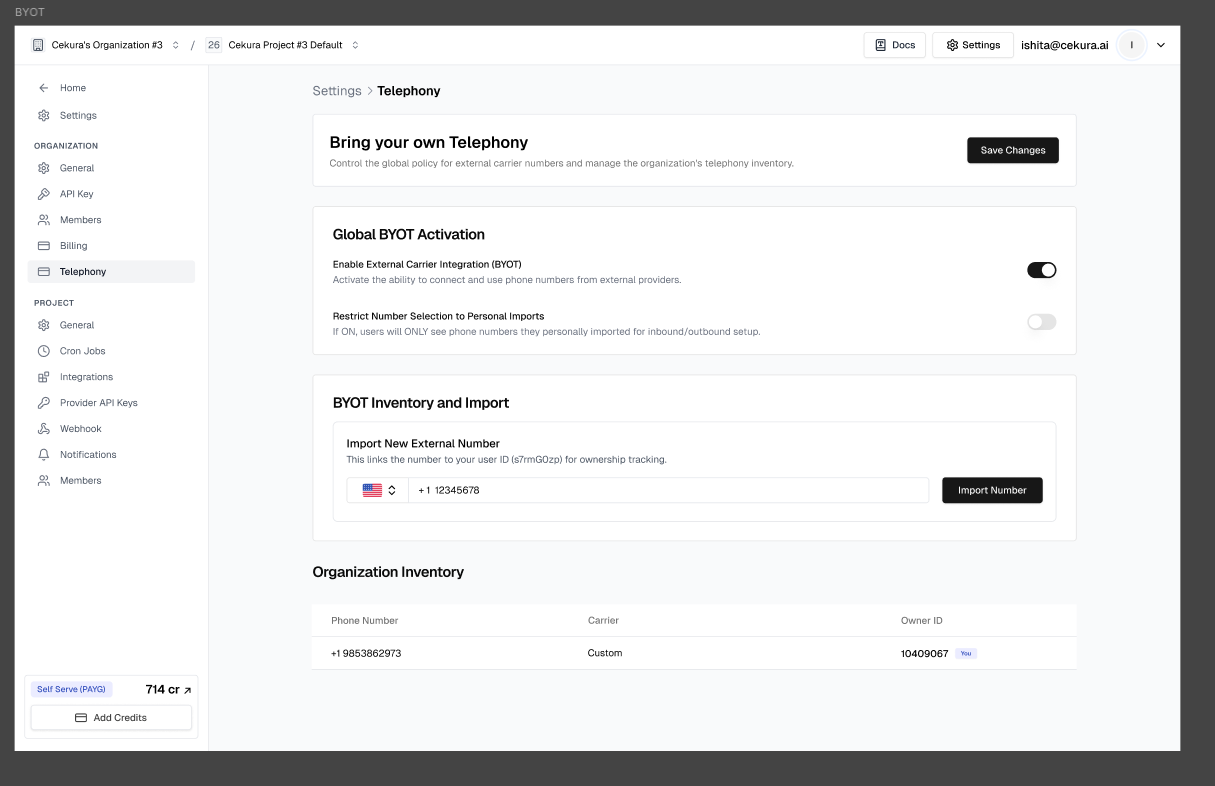
📞 BRING YOUR OWN PHONE NUMBER
Need phone numbers from regions outside the US? Want exclusive numbers for your outbound testing workflows? Have internally whitelabeled numbers you rely on? You can now bring your own phone numbers. We’re starting with full support for any Twilio number, and we’re happy to expand - just reach out if you're using a different provider.
* Settings -> Telephony -> Import Numbers
Cekura - Nov Week 4 - Product Updates
Nov 24, 2025
Trend Based Alerts, and improvements
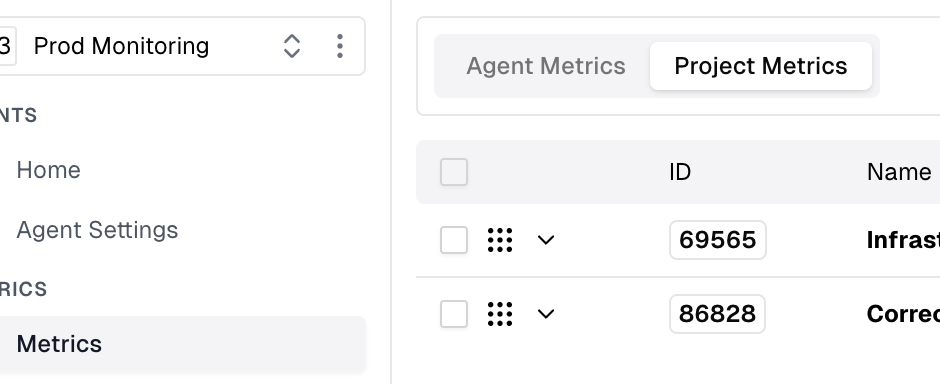
🪜 PROJECT METRICS
Easily create metrics or move existing agent metrics to be Project Metrics. These metrics are applicable across all agents you select, but edited from one source making metric management seamless. They also share 1 lab.
🔔 TREND BASED ALERTS
You can now set up intelligent alerts via Slack or email that notify you when metrics drift from their normal patterns. Instead of setting rigid limits, this feature detects unusual spikes or drops based on recent activity, helping you catch anomalies automatically.
* Settings -> Notifications -> Observability Alerts
🔧 OTHER IMPROVEMENTS
SMS support during call : Test Agents can now receive SMS between call and have full context of the message received. This is very useful to test cases where you are using SMS based 2FA during a call.
Test Profile in Expected Outcome : Added support for using test profile values in metrics, allowing usage of {{test_profile.variable_name}} for more templated evaluations
Integrations : We now support Agentforce chatbot integration and Kore AI voice agents.
Cekura - Nov Week 2 - Product Updates
Nov 10, 2025
Integrations, Real-world Simulations, Redaction For Observability, and improvements
🔌 INTEGRATIONS
We have added new integrations to make testing your agents easier for you.
-
Pipecat WebRTC: Just provide your pipecat details and we can automatically create rooms and connect to your agent. All via the UI. Details here.
-
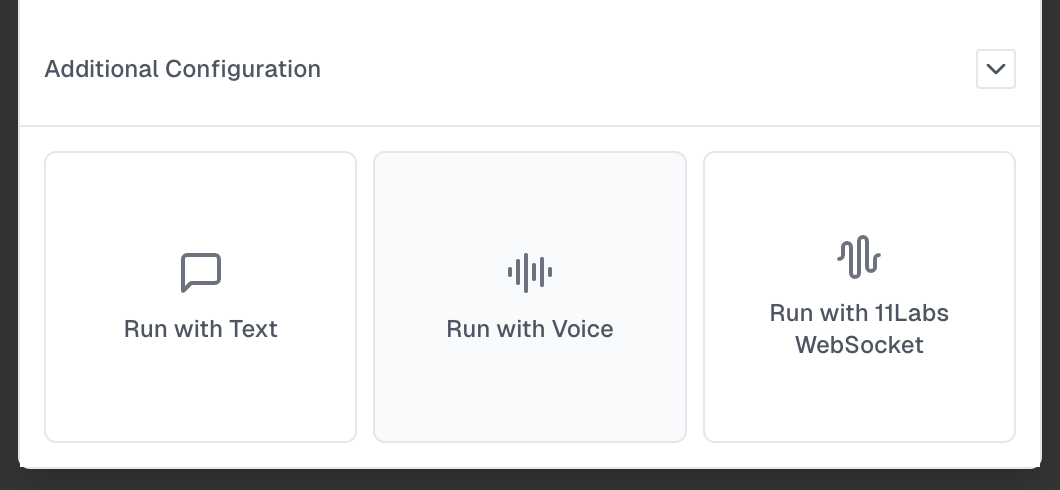
ElevenLabs Websocket: We can now connect to your elevenlabs agents via websockets for voice conversations instead of telephony. Details here.
🌎 REAL-WORLD SIMULATIONS
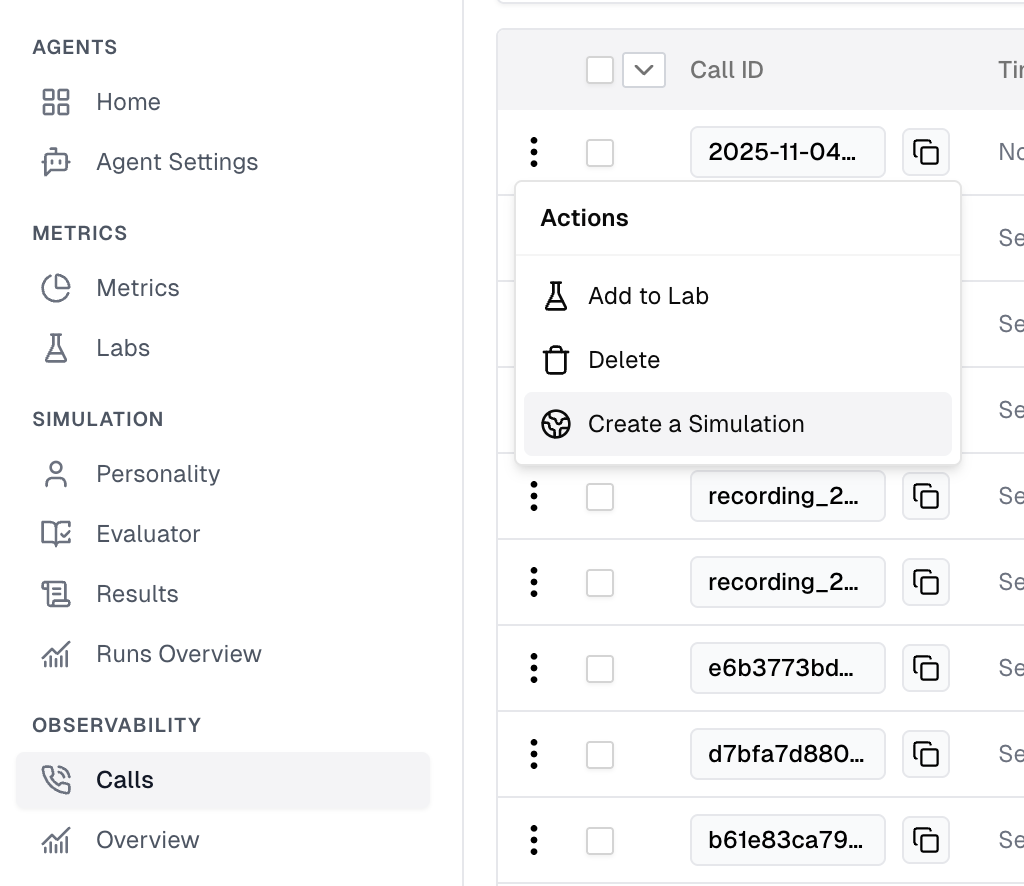
Found yourself wanting to create test cases from production calls? We have significantly improved our real-world simulation feature.
* Add Calls to Observability -> Click Actions -> Create a Simulation
⛔️ REDACTION FOR OBSERVABILITY
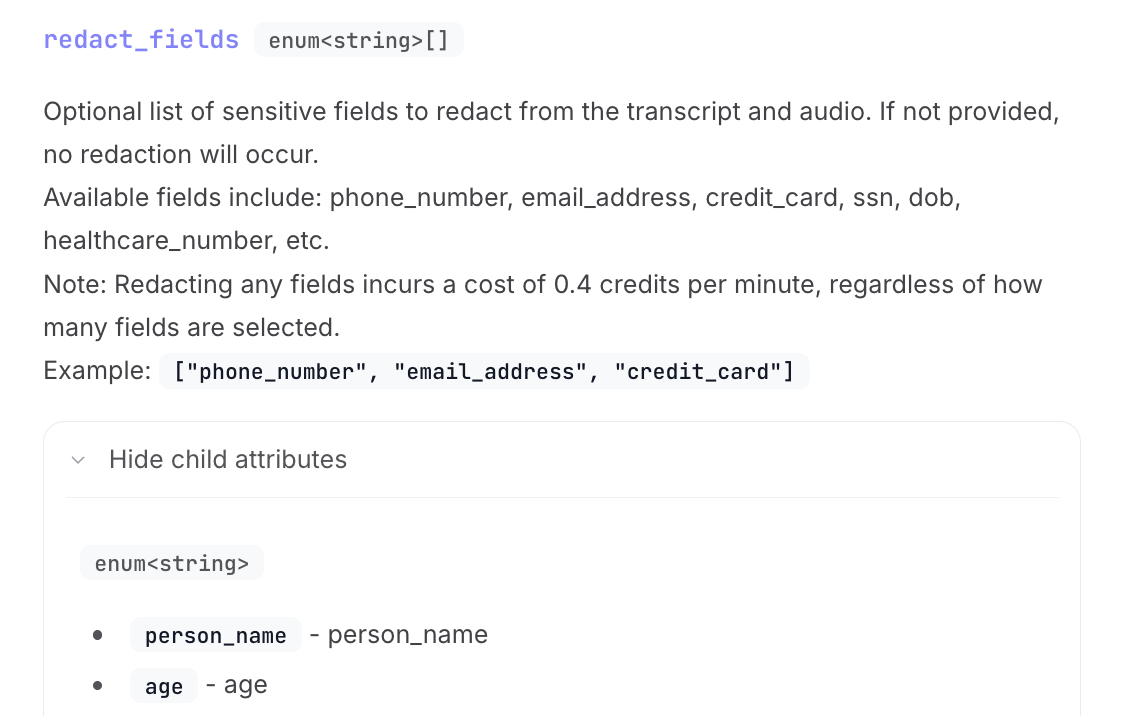
Have sensitive data in your production calls you are worried to share? You can now enable redaction while sending calls to us. Note: We redact sensitive data from transcript and audio both!
Details here.
🔧OTHER IMPROVEMENTS
Automated Outbound Testing : Retell/VAPI/Elevenabs users can now test outbound voice agents easily without having to copy paste phone numbers provided by Cekura. Simply go to
* Agent Settings -> Voice Integration -> Choose provider as Retell/VAPI/Elevenlabs -> Outbound Auto Call
BLOGS 📖
Complete Chatbot Testing Guide
Cekura - Oct Week 3 - Product Updates
Oct 20, 2025
New Audio Metrics, and improvements
🎖️ METRIC OPTIMISER
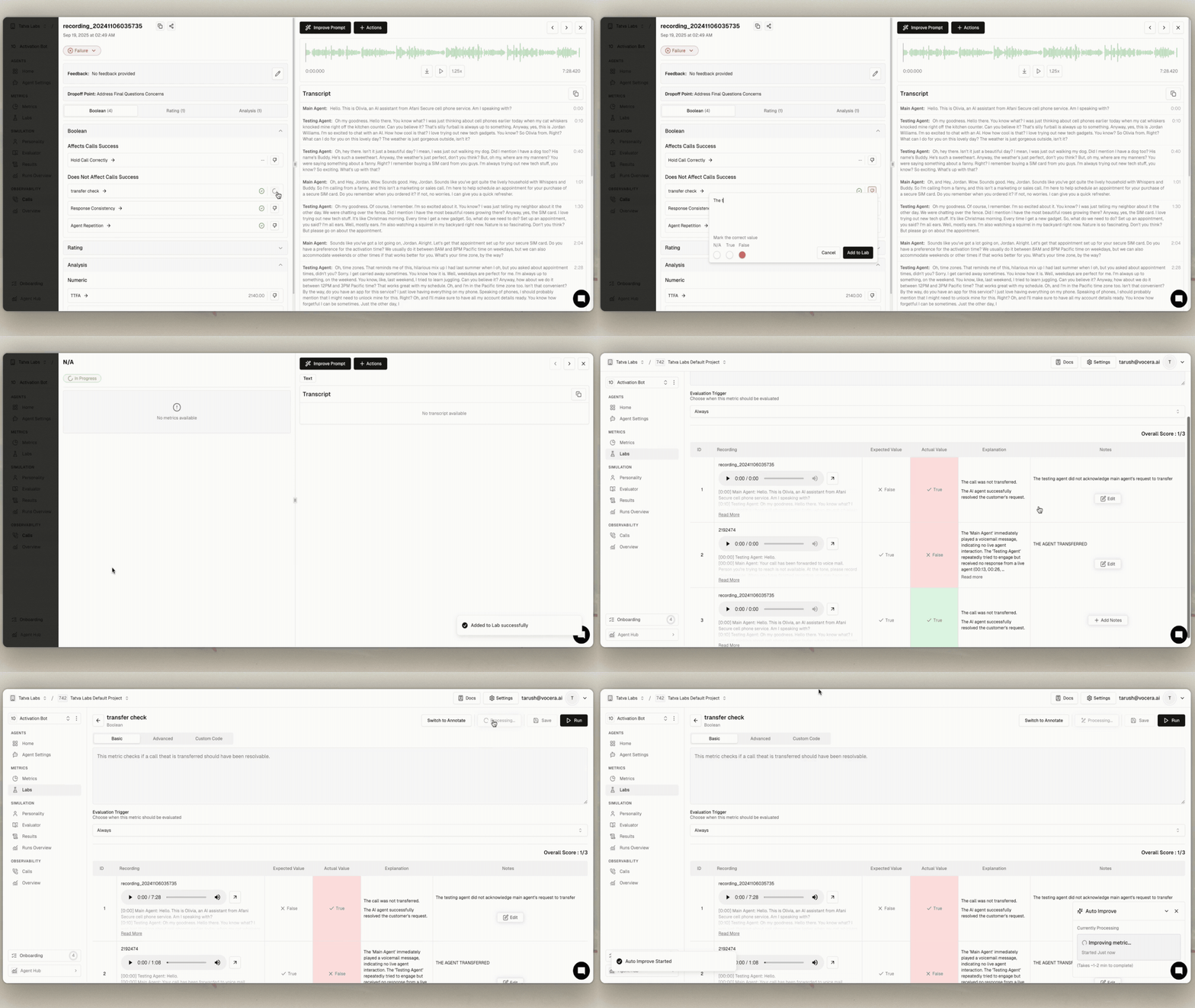
Our metric optimiser is extremely powerful now. Simply downvote on metrics for evaluated conversations, leave a note and click optimise in the lab.
- click downvote -> leave a note -> go to lab -> optimise the metric
⫘ LIVEKIT INTEGRATION
We now support a no-code livekit integration for testing. Simply add details of your livekit account in agent settings and Cekura will create the required rooms in your livekit service and connect to it over webrtc for testing.
- Agent settings -> voice integration -> provider Livekit
📣 NEW AUDIO METRICS
We now have 3 new pre-defined metrics that evaluate on audio.
-
Pronunciation Check - Simply add a word and it's pronunciation via phoneme and we will flag calls where pronunciation breaks. Specifically useful in monitoring how your AI Agent is pronuncing brands.
-
Silence Detection - Detect silences in a conversation which are greater than N (default 10) seconds.
-
Voice Tone - This metric checks for clarity in your AI Agent's voice and any discrepancy in the tone.
🔧 OTHER IMPROVEMENTS
Tool Call Testing : The new improved tool call testing is extremely easy to setup and dramatically expands the coverage of your simulations. If you are interested in tool call testing, refer to this guide or reach out to us.
Custom personalities : Enjoy a much more robust experience to create custom personalities. You can control interruptions, background noises, speed of speaking and much more. Note - we have also improved our pre-defined set of personalities in all language.
Real World Simulation : This is now significantly improved in text. Over the coming week we'll improve it in voice simulations as well.
BLOGS 📖
Test New LLM Model Versions with Real Production Calls
Cekura - Oct Week 1 - Product Updates
Oct 6, 2025
Runs Overview - Dashboards, and improvements
🎖️ SMS BASED TESTING
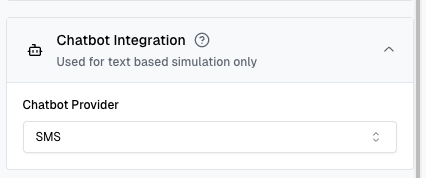
You can now test your chat-based agents via SMS to ensure they perform reliably in a text-messaging environment.
- Agent Settings -> Chatbot integration -> Choose provider as SMS
📜 RUNS OVERVIEW - DASHBOARDS
Create your own custom dashboards in Runs Overview. This will help you track the performance of your key metrics over time. Specifically handy if you run scheduled tests.
- Runs Overview -> Select Filters -> Save
🔧 OTHER IMPROVEMENTS
Reports from multiple Results : You can now club multiple results to create 1 report.
Downvote Metrics : If any metric value is not accurate, you can downvote it. The team is constantly improving them and this will be help us fine-tune the metrics for your use case.
Stability Fixes : We have optimised load times by >50% to ensure you have a snappy experience.
CASE STUDY
🔔 How Quo is shipping fast via Cekura
BLOGS 📖
Why single turn testing falls short in evaluating conversational AI
Cekura - September Week 3 - Pricing & Product Updates
Sep 15, 2025
Improved Results Page, and improvements
🔩 IMPROVED RESULTS PAGE
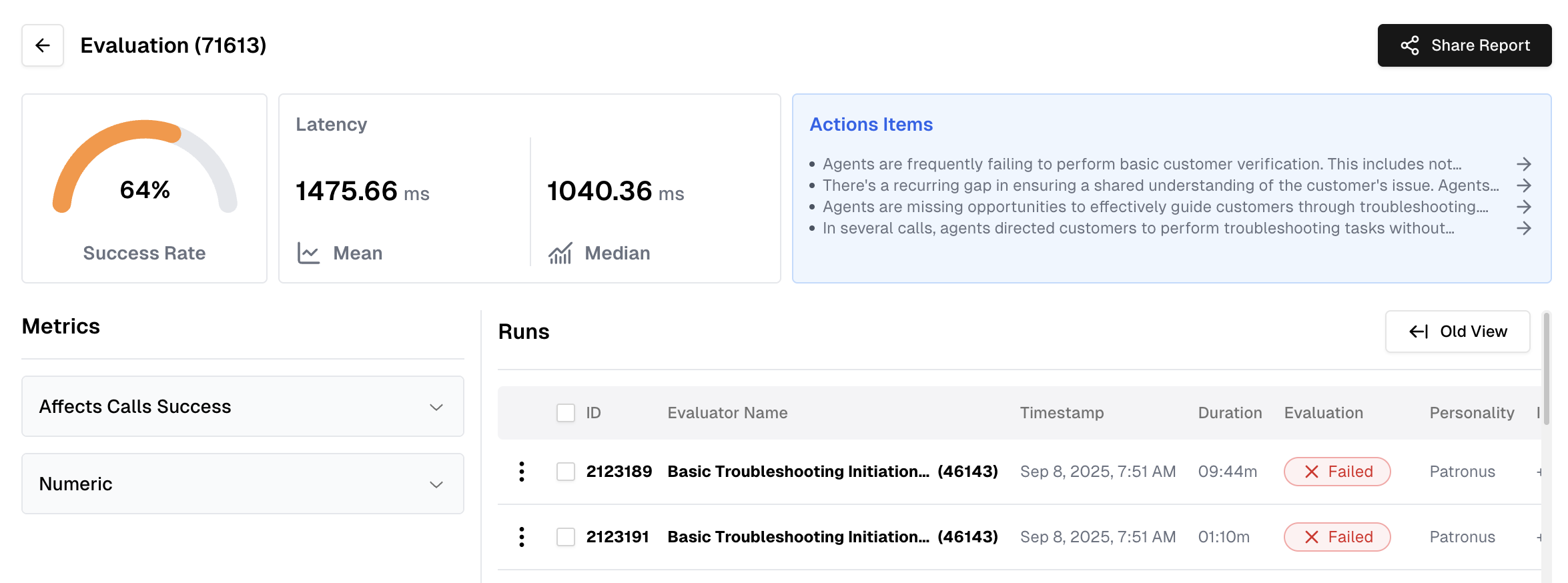
We've completely overhauled the results page to give you a clearer, more actionable overview of your simulation. You can now quickly identify key insights and, with the new Action Items feature, instantly turn those insights into tasks.
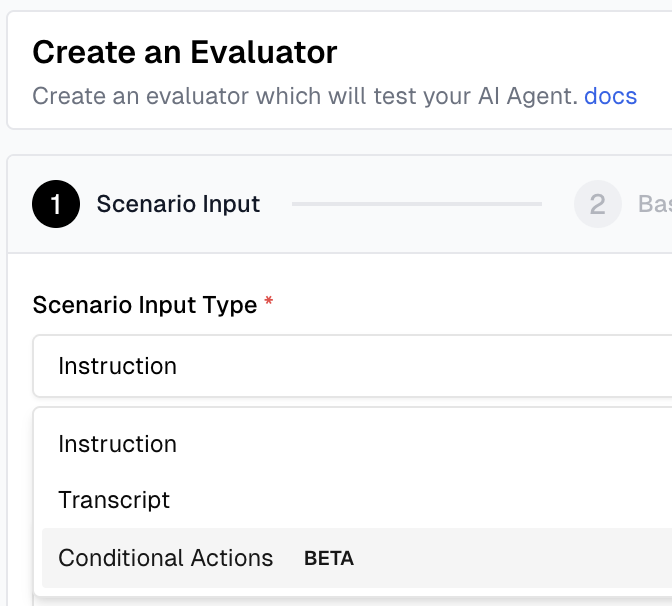
🎭 SCENARIO TYPES: BIAS, TOXIC...
You can now select from a variety of scenario types - including Bias, Toxic, Hallucination, and Sad - to generate more specific and relevant scenario features
Evaluators -> Generate Evaluators -> Scenario Type field
🔧 OTHER IMPROVEMENTS
Alerts for Specific Metric: You can now enable slack/email alerts on each individual metrics.
Slack Notifications for Results : Receive slack notifications once simulation runs are complete.
NEW BLOGS 📖
🔔 12 Supporting Metric to Evaluate your conversational AI Agents
Cekura - Sept Week 1 - Product Updates
Sep 1, 2025
🎖️AUTO METRIC OPTIMISER, and improvements
🎖️ AUTO METRIC OPTIMISER
We now automatically optimise metrics. Feedback can be direct or based on feedback. This reduces manual effort while continuously improves accuracy.
-
Select Create Metric -> Type Description -> Click Improve
-
Labs -> Optimiser -> Metric to Optimise -> Add Note & Improve
🎭 FEEDBACK FOR INSTRUCTION FOLLOW
You can now leave feedback on calls where the agent didn’t follow instructions as expected. This helps us improve evaluation accuracy and capture real-world issues faster.
Failed Calls -> click 👎🏻 -> leave feedback
🔧 OTHER IMPROVEMENTS
Bland Integration : We now support a native integration with Bland for voice agent testing.
Extended Knowledge Base Support : We now support JSON, csv etc.
Beta Metric : Appropriate Call Termination by AI Agent
Evaluator Optimiser : Similar to metric optimiser, when creating scenarios, you can use AI Assist so you don't have to type every detail.
NEW BLOGS 📖