
PromptLayer is a prompt management platform where engineers and domain experts version, test, and monitor LLM prompts outside the codebase.
Its Prompt Registry and Release Labels let a non-engineer ship a prompt change without a code deploy, and its evals can block a bad version in CI. Voice teams get text-only conversation testing.
We went through its docs, pricing page, changelog, and 10 G2 reviews. PromptLayer works best when non-engineers own the prompts and engineers gate releases with evals.
What Is PromptLayer? The 30-Second Answer
PromptLayer describes itself as an AI engineering platform that combines a prompt registry and visual CMS, LLM evaluations, and observability with agent tracing. Your app requests the version labeled prod at runtime, so a product manager can ship a prompt change without a pull request.
PromptLayer is worth adding once more than one person edits your prompts, and you need to trace each output to its prompt version.
Key Features
-
The Prompt Registry and Release Labels. Every save creates a version you can diff against the last one or roll back to, with a commit message attached. Release Labels like
prodandstagingset which version your code receives. -
A no-code prompt editor. Product, marketing, and content teams edit prompts in the dashboard. PromptLayer pitches this as decoupling prompt deploys from engineering releases.
-
Evals run as Tables. Each test is a column over rows of examples. Column types include code execution, regex and other deterministic checks, human grading, LLM assertions, and the Conversation Simulator.
-
Request Logs and Traces. Each request logs its cost and latency, token counts included, and ties them to the prompt version that produced it. Traces come in through OpenTelemetry, with auto-instrumentation for OpenAI, Anthropic, Google, and Bedrock SDKs.
-
A/B Releases. A release label can split traffic by percentage or by metadata segments such as user ID or company.
| Feature | Where it lives | Check before you rely on it |
|---|---|---|
| Prompt Registry | Release Labels + SDK | The SDK's template cache is off by default |
| No-code prompt editor | Dashboard | One non-engineer on G2 found the UI technical |
| A/B Releases | Release Labels | Segments only work on metadata you attach |
| Evaluations | Tables | New work starts in Tables, and legacy Datasets still run |
| CI gating | passing_score in evaluate() | You set the threshold yourself |
| Tracing | OpenTelemetry | Auto-instrumentation covers 4 provider SDKs |
| Conversation Simulator | A Tables column type | Text only, no audio |
PromptLayer is based in New York. In February 2025, it closed a $4.8 million seed round led by Ivan Bercovich of ScOp Venture Capital, as TechCrunch reported.
Who PromptLayer Is Made For
PromptLayer's founders designed the product for domain experts first. PromptLayer's own mission statement, quoted by TechCrunch, says "you can't build healthcare AI without doctors, legal AI without lawyers…"
In PromptLayer's case studies, Midpage puts lawyers in charge of prompt iteration for its legal AI, and Speak's product lead compressed months of team curriculum work into a single week. Both accounts come from PromptLayer's own blog.
One non-engineer on G2 pushes back. Kelsie D., a communications manager in higher education, struggled with the UI and gave it 2 stars: "The user interface isn't what I'd call intuitive…" She said it's more technical than a typical marketer needs.

How Does PromptLayer Work?
Your code asks the registry for a prompt by name and label, sends it to your model provider, and logs the result in PromptLayer. Every output then traces to the exact version and inputs that produced it.
A prompt moves through four stages:
-
Edit: Someone writes or changes the prompt in the dashboard, with input variables in double braces like
{{cake_type}}. -
Evaluate: The new version runs against a Table or an SDK eval. You review its score and failing rows before anyone promotes it.
-
Release: Moving the
prodlabel to the new version makes it live. Rolling back means pointing the label at the old version. -
Observe: Production requests appear in Request Logs with cost, latency, tokens, and any metadata you attached.
Case from G2: On an insurance claims project, Vikash K. says every prompt tweak used to mean a full Azure DevOps pull request and a FastAPI redeploy.
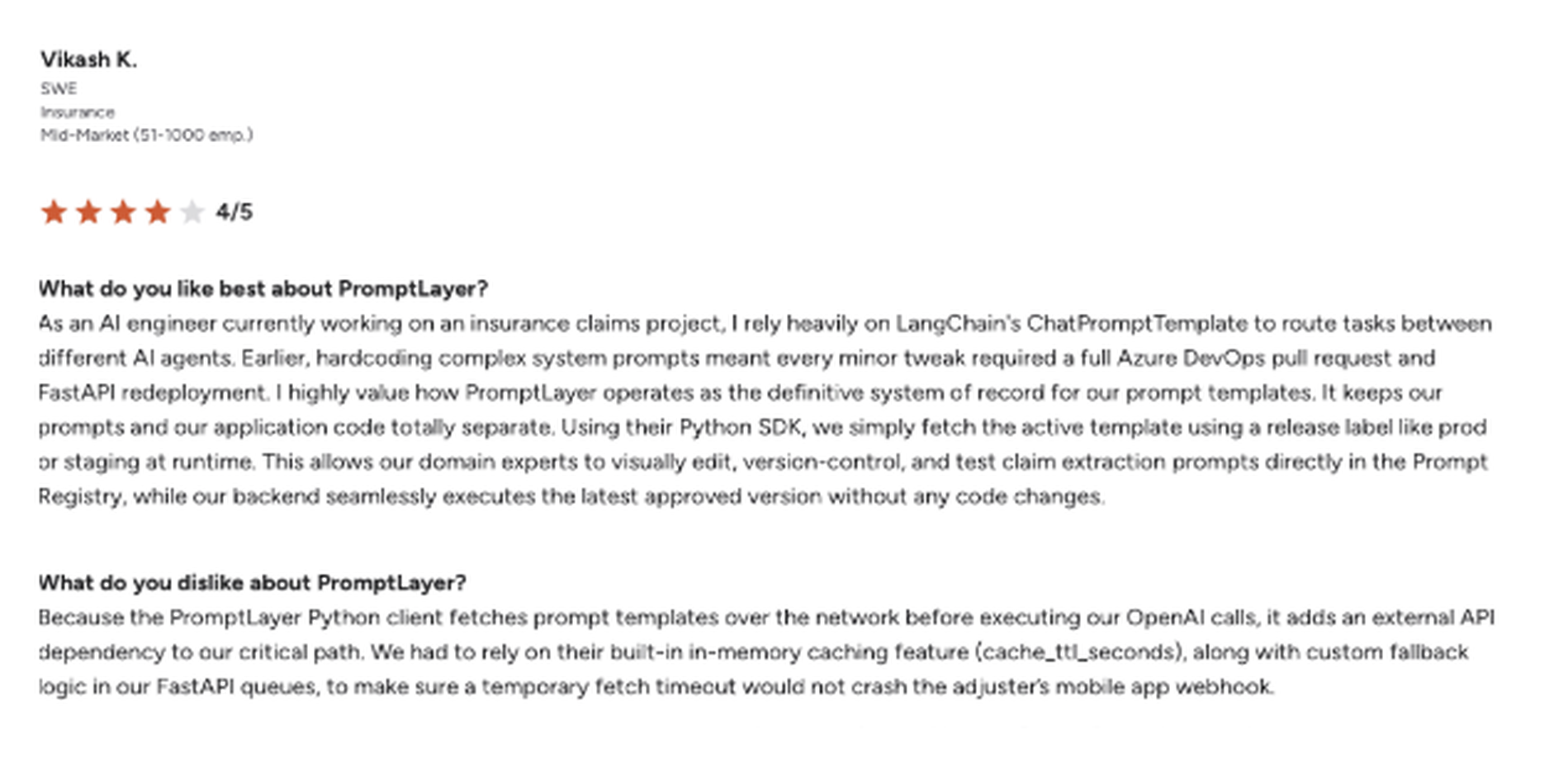
His backend now fetches whatever version carries the prod or staging label, so claim extraction prompts became config values the domain experts own.
PromptLayer vs. LangSmith, Langfuse, Braintrust, and Helicone in 2026: What's the Difference?
The five tools overlap on logging and evals but start from different jobs: PromptLayer from the prompt registry and visual editor, LangSmith from LangChain tracing, Langfuse from tracing and prompt management, Braintrust from evals, and Helicone from a proxy gateway.
| Criteria | PromptLayer | LangSmith | Langfuse | Braintrust | Helicone |
|---|---|---|---|---|---|
| Core focus | Prompt registry and visual editor | LangChain and LangGraph tracing | Tracing and prompt management | Evals and experiments | Proxy gateway and logging |
| Free tier | Free: 2.5k requests per month | Developer: 5k base traces per month | Hobby: 50k units per month | Starter: 1 GB data and 10k scores per month | Hobby: 10,000 free requests |
| Paid entry | Pro: $49 per month, 5 users | Plus: $39 per seat per month | Core: $29 per month | Pro: $249 per month | Pro: $79 per month |
| Status | Active, changelog through September 2026 | Active | Active | Active | Joined Mintlify in March 2026, maintenance mode |
Pricing verified against each vendor's own pricing page on 8 October 2026.
PromptLayer is the stronger choice when the person improving the prompt isn't an engineer, because the no-code prompt editor and Release Labels let that person change and ship it without touching code.
Helicone has run in maintenance mode since Mintlify acquired it in March 2026. Helicone's own announcement says security updates, new models, and bug fixes keep shipping in that mode.
How Much Does PromptLayer Cost?
PromptLayer sells four plans. Pro and Team charge a flat monthly fee plus overage per transaction, which counts each request, agent run, and eval cell run.
| Plan | Price | Included usage | Overage | Worth knowing |
|---|---|---|---|---|
| Free | $0 per month | 2.5k requests, 250 eval cells, 750 agent nodes | None | 10 prompts, 10 playground runs per day, 1 workspace |
| Pro | $49 per month | 2.5k requests, then $0.003 per txn | $0.003 per txn | Unlimited prompts and workspaces, 150MB datasets |
| Team | $500 per month | 100k+ requests, 7.5k+ eval cells, 10k+ agent nodes | $0.002 per txn | Webhooks, 1GB datasets |
| Enterprise | Custom | Custom | Custom | RBAC, SSO, BAA, self-hosting, EU hosting |
Pricing verified against the PromptLayer pricing page on 8 October 2026. For cost examples by team size and request volume, see our PromptLayer pricing breakdown.
Pro includes the same 2.5k requests as Free, and Free has no overage rate, while Pro bills each extra request at $0.003. Illustrative math: 50,000 requests a month on Pro costs $49 plus 47,500 × $0.003, which means $191.50 before a single eval cell runs.
Dimitrios K. flagged the same curve on G2: "The pricing scales quickly as usage grows."
PromptLayer Pros and Cons: What G2 Reviewers Say
PromptLayer holds 4.3 out of 5 from 21 reviews on G2, as of October 2026. All 10 reviews on G2's first page came through G2 invites and carry an Incentivized tag, so weigh them with that in mind.
Pros (What Actually Works)
Prompt edits ship without a code deploy. In a G2 review from marketing and advertising, one user says, "people who are not necessarily developers can contribute to improving prompts…" In practice, they stop asking an engineer to change the code for every prompt edit.
Release Labels cover the deploy side, since moving to prod puts the new version live.
You can block a bad prompt in CI. Set passing_score in evaluate(), and the CLI and CI docs say any run that scores below it exits non-zero and stops the CI job.
Logging didn't slow one support team down. Muhammed A., who runs a customer support assistant, saw "no noticeable delay added to response times."
Evals mix LLM judges with code checks and human grading. One Table can hold regex and cosine similarity columns next to LLM assertions.
LLM judges carry known position, verbosity, and self-enhancement biases, according to the MT-Bench study by Zheng et al., so the human-graded rows give you a baseline to check the judge against.
Cons (Where It Falls Short)
The runtime fetch sits on your critical path. Vikash K. describes the cost of that design on the same insurance project, where the Python client "adds an external API dependency to our critical path." His team turned on cache_ttl_seconds and wrote their own fallback logic.
The SDK's cache is PromptLayer's answer to that dependency, and it's off by default. Once enabled, it serves a stale template if the API returns a transient error, per the SDK README.
A signed BAA waits for Enterprise. PromptLayer's pricing page offers HIPAA with a BAA only to Enterprise customers, and HIPAA requires a written business associate agreement before a vendor handles patient data for a covered entity.
A healthcare team on Free, Pro, or Team should keep protected health information out of its prompts and logs.
Voice agents get text-only testing. PromptLayer's voice agent docs state that the Conversation Simulator "evaluates text content only." It runs 8 to 10 turns and returns a transcript.
Pronunciation, tone, and audio clarity stay outside that test, per PromptLayer's voice agent docs. Cekura fills that gap with simulated voice calls that include interruptions, background noise, and accented callers.
Should You Use PromptLayer?
Pick PromptLayer when the people who write prompts aren't the people who write code. If your lawyers or support leads know what a good answer looks like, it gives them a place to work that your engineers can gate with evals and review through version history.
PromptLayer Is Perfect For:
-
Teams where non-engineers write or approve prompts
-
Apps that change prompts often and need clean rollbacks
-
Engineers who want evals to block a release in CI
Skip PromptLayer If You:
-
Need a signed BAA without an Enterprise contract
-
Run voice agents and need to test what callers hear as well as the text
-
Only have a handful of prompts that one engineer edits
How to Get Started with PromptLayer in 5 Steps
You can do the whole setup on the Free plan. It follows PromptLayer's quickstart, with the eval steps adapted to Tables.
1. Create your first prompt: Sign up, click New, then Prompt, and write your messages. Mark anything that changes per request as an input variable, like {{serving_size}}.
2. Test it in the Playground: Fill in the variables and click Run. The Free plan caps you at 10 Playground runs a day, so group your edits before each one.
3. Call it from code: Export PROMPTLAYER_API_KEY plus your provider key, then install the SDK with pip install promptlayer or npm install promptlayer. Call client.run() with the prompt name, input variables, tags, and metadata.
4. Set up a Table for your eval: Create one from your prompt or from imported request history, then add inputs and expected outputs as rows. Add a Prompt Template column to run the prompt, plus computed columns or a Scorecard to grade each result.
5. Check for regressions before promotion: Rerun the Table or Scorecard on the new prompt version and check the failing rows next to the aggregate score. Move the prod label once the scores meet your bar.
Pro tip: set data retention before you send production traffic. The retention docs say the setting binds to each record when it's logged, and new workspaces default to Forever.
Because of that, changing it later won't touch records you already have. Choose 14, 30, or 90 days, or keep Forever deliberately, and check your plan first: PromptLayer's pricing page lists Data Retention Control under Enterprise.
PromptLayer Best Practices and Mistakes to Avoid
The four habits below keep a live prompt traceable and available, from the SDK setup through each release.
-
Turn on the SDK cache ahead of launch: Set
cache_ttl_seconds, then test requests that usemetadata_filtersor model overrides on their own, because those bypass the cache. -
Attach metadata to every request: A/B segments and log searches run on metadata like user ID and company. Anything you add after an incident won't cover the requests that already came in.
-
Pull eval rows from production history: Tables can import rows straight from logged requests. Those inputs carry the edge cases a hand-written CSV tends to leave out.
-
Agree on who moves
prod: Write down who can move the prod label, and check each release against that rule.
Three mistakes you should avoid:
-
Pinning code to a version number: A version pin turns every rollback into a code change, while a label pin lets you roll back by moving
prod. -
Scoring only with an LLM judge: Pair it with code checks for format and required fields, since a regex column returns the same result on every run and an LLM judge's scores can vary between runs.
-
Legacy eval pipelines left in place: PromptLayer recommends Tables for new work, while older Datasets and Evaluations still run for existing projects, and a migration guide covers the conversion. Vikash K., the insurance claims reviewer quoted above, said the switch cost his team unexpected time.
My Verdict on PromptLayer
PromptLayer does this best: it hands prompt ownership to the people who know the domain, while engineers keep the version history and the eval gates. For a team of up to 5 users with low volume, $49 a month covers that workflow.
Past 5 users, you move to Team at $500. Past 2,500 requests, Free stops and Pro meters every extra request at $0.003. Estimate your monthly request volume and price the plan from that number before you standardize on it.
Alternatives make more sense in three places:
-
For self-hosting on a budget, Langfuse's open-source version is the more direct path.
-
For LangChain-native tracing, LangSmith takes less setup.
-
For voice agents, PromptLayer's text-only simulator calls for an audio testing layer on top.
-
For eval-heavy teams with budget, Braintrust's $249 Pro plan buys deeper scoring than PromptLayer's eval cells.
Cekura Tests the Voice and Chat Agent Around Your Prompts
Cekura tests how the whole voice or chat agent handles a caller who interrupts mid-sentence or mumbles an account number, before and after a prompt version goes live.
Pre-production
-
Test cases generated from your agent's description and knowledge base
-
Persona-driven simulations across multiple languages and accents
-
Red Teaming for multi-turn jailbreaks and prompt injection
Infrastructure
-
Infrastructure Suite: 18+ prebuilt scenarios covering interruptions, audio quality, and packet loss
-
GitHub Actions so every push or pull request reruns full conversation simulations before merge
Observability
-
Pre-defined and custom metrics scored on the production calls you import into Cekura
-
Replays of production calls against a new prompt or model version
Native integrations work out of the box for Retell, Vapi, ElevenLabs, LiveKit, Pipecat, Bland, and more. You add a testing layer on top of what you already run.
Cekura is also SOC 2-, HIPAA-, and GDPR-compliant with PII redaction for transcripts and audio recordings. Cekura signs a BAA and DPA from the Startup plan, and audit logs come with Enterprise.
Book a demo, and we'll put your agent through your own scenarios after your next prompt change, or start free with 300 credits, about 60 minutes of voice testing, with no card required.
Frequently Asked Questions
What is PromptLayer used for?
PromptLayer is used for versioning, testing, and monitoring LLM prompts outside your codebase. Teams store prompts in its registry, release them with labels like prod, score new versions with evals, and trace production requests back to the prompt behind them.
Is PromptLayer free?
Yes, PromptLayer has a free plan with 2,500 requests a month, 250 eval cell executions, and up to 10 prompts. Paid plans start at $49 a month for Pro and $500 a month for Team, with overage billed per transaction.
Is PromptLayer open source?
No, PromptLayer is a closed-source platform. Self-hosting it requires an Enterprise contract, and its Python SDK is the one piece published under Apache-2.0 on GitHub. Teams that need an open-source, self-hosted option can look at Langfuse.
Which platform is best for prompt engineering?
PromptLayer works well for prompt engineering when domain experts write the prompts, because its no-code prompt editor and Release Labels let them ship changes without code. Self-hosting teams can look at Langfuse, and LangChain users at LangSmith.
What is the best tool for testing prompts in voice and chat agents?
Cekura runs end-to-end tests of voice and chat agents. It simulates full conversations with interruptions and background noise, and it can rerun them in CI on every push or pull request.
You can run it alongside a prompt tool like PromptLayer, which covers the prompt while Cekura tests the conversation around it.