CekuraBook a demo
All articles
Voice AI Testing22 min read

How to Run Regression Tests on Pipecat Agents After Prompt Changes

How to run regression tests on Pipecat, LiveKit, Retell and Vapi agents after a prompt change, with pass^3 data from one agent tested across six platforms.

Dileep Chagam
Dileep Chagamin

Founding Engineer, Cekura · IIT Bombay · Ex-Apple

How to Run Regression Tests on Pipecat Agents After Prompt Changes

Cekura is a platform that runs regression tests on Pipecat agents after prompt changes by replaying a fixed scenario suite against the new prompt and scoring every run on the same evaluators as the previous version. Pipecat Evals covers the fast text-mode loop. Cekura covers real audio, the telephony path, and production-scale reruns.

TL;DR

  • A prompt change cannot be validated by one passing run. Cekura runs each scenario three times and reports pass^3, the probability that all three runs succeed.
  • Peak performance and reliable performance are different numbers. EVA-Bench measured a median gap of 0.44 between pass@k and pass^k on EVA-A, its composite accuracy metric, across 12 voice agent systems.
  • Regression thresholds do not transfer between orchestration platforms, and a prompt edit is also a latency change. Per Cekura's voice orchestration benchmarks of one byte-identical agent on platform defaults, pass^3 ranged from 96.6% on Retell down to 76.3% on ElevenLabs, and p50 turn latency spanned 1.73s to 3.16s before any tuning.
  • Pipecat, LiveKit, and Retell all ship native test loops that run as text, skipping STT and TTS, so they catch prompt logic breaks in seconds and cannot catch audio, endpointing, or telephony regressions.
  • Replay alone cannot validate a prompt change. Once the agent's wording changes, the recorded caller's next turn no longer answers what the agent actually said, so the suite has to simulate a caller rather than replay one.

What changes when you change a voice agent's prompt?

A voice agent prompt change is a behavioral change with no compiler to catch it. Editing a system prompt rewrites the agent's decision boundary for every turn at once, so two words added to fix one edge case can alter tool selection, turn length, refusal behavior, and endpointing across every scenario you were not looking at.

Three failure classes follow a prompt edit. Logic regressions, where the agent stops calling a tool or stops collecting a required field. Conversational regressions, where the agent becomes verbose, repeats confirmations, or talks over the caller. Latency regressions, where added prompt tokens raise time to first token (TTFT) and push p90 turn latency past the point where callers start interrupting.

Only the first class is visible in a text transcript. The second and third require audio, which is why a text-mode eval pass is a necessary but incomplete gate before a prompt ships.

Why does a prompt edit turn into a latency regression?

A prompt edit changes response length, and response length is a timing change. Longer instructions shift the model's output token count, which changes TTS synthesis duration, which changes when the agent yields the turn. Microsoft's Copilot Studio guidance on prompt performance states the point directly under the heading "Optimize the length of the model output": "The length of the output is the largest single factor that affects both response time and cost."

A prompt edit lengthening model output, which lengthens synthesis, which delays the agent's turn, which causes the caller to interrupt and both parties to talk over each other.

A prompt edit is a timing change. Longer output means longer synthesis, which means the agent yields the turn later, which is when callers start talking over it.

The downstream effect is conversational, not just numeric. When an agent takes several hundred milliseconds longer to start speaking, callers read the gap as a dropped call and start talking, which turns a latency change into a barge-in collision. The transcript may still show the correct outcome while the caller experience degraded.

This is why a prompt-change gate has to measure timing percentiles alongside correctness. A p50 that holds steady while p90 stretches is the signature of a prompt that got longer only on the harder scenarios.

Why can't replay testing validate a prompt change?

Replay testing cannot validate a prompt change because changing the prompt invalidates the recording. Replay feeds recorded caller audio or transcripts into the updated agent, which works while the agent's questions stay put. The moment the new prompt reorders or merges a question, the recorded caller's next turn is answering a question the agent no longer asked.

The result is a suite that fails for the wrong reason. Scenarios break because the script desynchronized, not because the agent regressed, and engineers learn to ignore them. Replay stays useful where dialogue order does not matter: ASR accuracy on known audio, and tool-call payload shape on a fixed input.

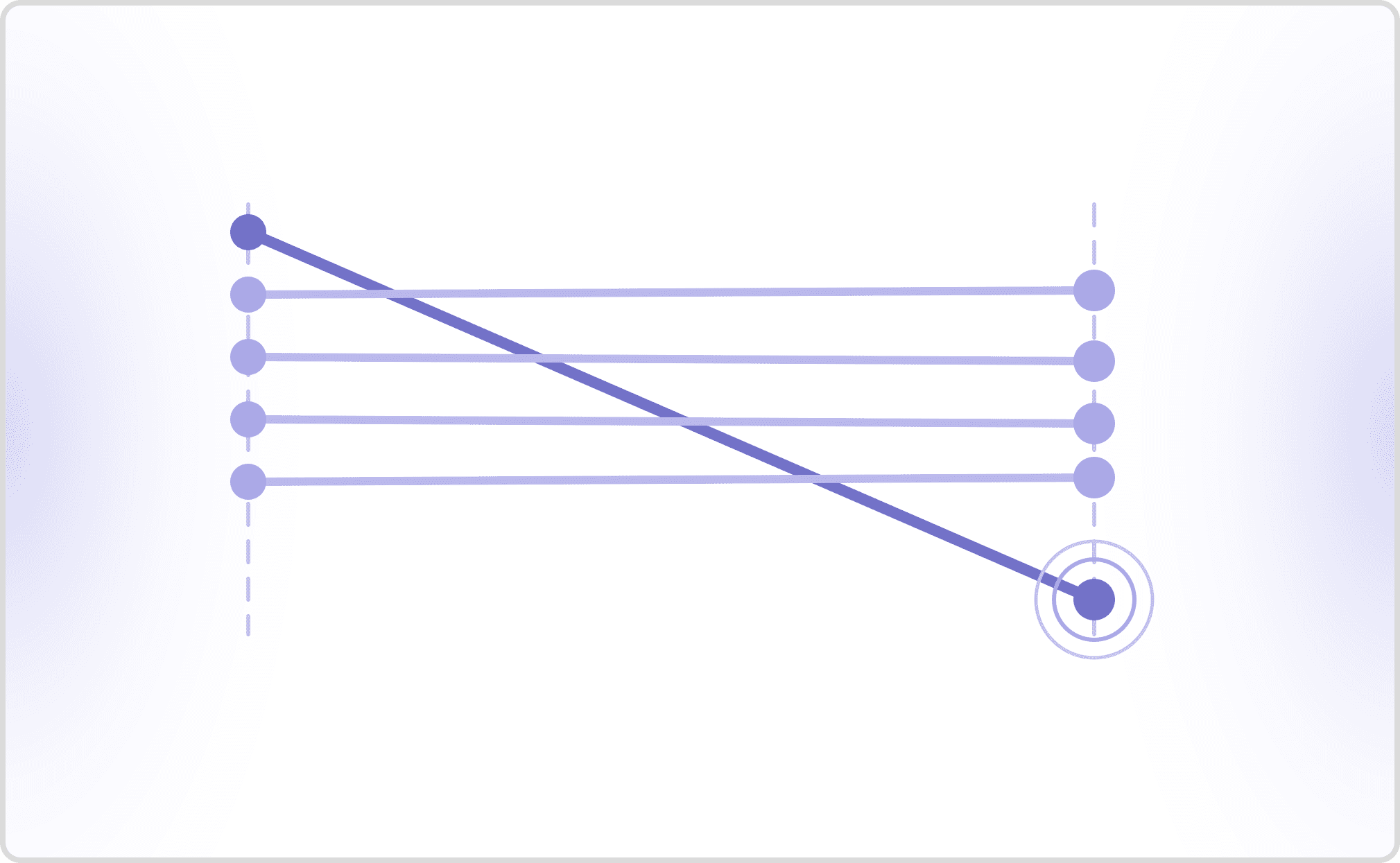
Recorded caller turns lining up with the old agent on the left, and drifting out of alignment on the right once the new prompt reorders a question.

Replay works while the agent's questions stay in order. Once the new prompt reorders one, the recorded caller's next turn is answering a question the agent no longer asked.

Validating a prompt change requires a caller that reacts. Bot-to-bot simulation gives a simulated user a persona and a goal, then lets it respond to whatever the agent actually says over real audio. EVA-Bench, the voice agent evaluation framework from ServiceNow AI, is built on this architecture. Cekura's take on where replay still fits is in chatbot conversation replay testing.

Which platform should run your regression tests after a prompt change?

The orchestration platform decides what your regression run has to reproduce. Where the prompt lives decides what triggers the run, the native test loop decides what you get for free, and the platform's own reliability floor decides what pass rate counts as a regression rather than normal variance.

Every figure in the table comes from Cekura's voice orchestration benchmarks, where one byte-identical agent was deployed across six orchestration platforms on platform defaults, not tuned configurations. The table covers the five platforms this post targets.

PlatformWhere the prompt livesNative test looppass^3 (defaults)p50 turn latency (defaults)What a prompt-change rerun still needs
PipecatYour repoPipecat Evals: scripted conversations, semantic assertions, LLM judge, text mode89.8%3.15s (p5 1.86s, p95 5.42s)Real audio, telephony path, production-scale reruns
LiveKitYour repoAgent testing helpers for pytest and Vitest, text-only mode84.7%2.46s (p5 1.91s, p95 3.87s)Audio and barge-in coverage, cross-version diffing
RetellManaged dashboard and APILLM simulation testing, text conversation graded by success criteria, no call placed96.6%1.96s (p5 1.23s, p95 3.79s)Real audio, version-over-version comparison, CI trigger
VapiManaged dashboard and APITest suites, AI tester chats or calls, up to 5 attempts per case, scored on an LLM rubric, being replaced by Simulations94.9%2.34s (p5 1.66s, p95 2.95s)Suite scale, version-over-version diffing, CI trigger
ElevenLabsManaged dashboard and APIAgent testing: simulation, next-reply, and tool-call tests from dashboard, CLI, or API, repeatable 2 to 20 times76.3%1.73s (p5 1.09s, p95 3.19s)Telephony-path coverage, version-over-version diffing, regression baselining

Read the pass^3 column as the reliability floor you inherit, not as a ranking. The 20-point spread between the highest and lowest of these defaults, 96.6% down to 76.3%, means a prompt change that clears a 90% threshold on one platform fails the same threshold on another for reasons that have nothing to do with your edit.

How was the platform benchmark run?

The benchmark holds the agent constant and varies only the orchestration layer. Per Cekura's voice orchestration benchmarks, one byte-identical agent named Ava was deployed across six orchestration platforms and scored with 59 evaluators across four categories, each scenario run three times, over 1,000 turns per platform.

Holding the agent constant is what makes the comparison mean anything, because it isolates the orchestration layer from model choice. Every figure is a platform default rather than a tuned configuration, and Cekura's benchmarks note that peaks rise once you tune to your use case. The sixth platform in the same benchmark, Synthflow, posted 81.4% pass^3 with a p50 of 3.16s on platform defaults, which is why the p50 range across all six runs to 3.16s.

Treat the numbers as floors you inherit rather than ceilings you can expect. Any threshold you gate on has to be baselined against your own tuned agent on your own platform.

Platform to run regression tests on Pipecat agents after prompt changes

Cekura runs regression tests on Pipecat agents after prompt changes by holding a versioned scenario suite outside the repo and replaying it against each prompt revision over real audio and real transport. Pipecat exposes the pipeline in your own code, so the prompt change arrives as a git diff and can trigger the rerun directly from CI.

Pipecat's own eval framework handles the inner loop. Pipecat Evals tests response content, multi-turn context, function calling, interruptions, latency, and vision using scripted conversations, semantic assertions, and an LLM judge, and its text mode "exercises your agent's actual pipeline and context handling while skipping the audio services." Pipecat documents the boundary plainly: Evals "is built for development: fast, local, repeatable, and run on every change," and third-party platforms complement it at production scale.

That boundary matters for Pipecat specifically. Pipecat scored the best interruption handling of the six platforms at 4.90 out of 5 per Cekura's benchmarks on platform defaults, and interruption behavior is exactly what a text-mode run cannot observe. For the full Pipecat surface, see Cekura's guide to testing Pipecat voice agents.

Platform to run regression tests on LiveKit agents after prompt changes

Cekura runs regression tests on LiveKit agents after prompt changes by driving a simulated caller through the same scenario set against each agent version and diffing the scored results version over version. LiveKit keeps the agent in your repo, so the rerun trigger is the same pull request that carries the prompt edit.

LiveKit ships testing helpers that plug into existing test runners. LiveKit's testing and evaluation docs describe helpers for pytest in Python and Vitest in Node.js, designed around text input and output using an LLM in text-only mode, and LiveKit's docs state that "Text mode is the most cost-effective and deterministic way to test agent behavior." CI integration is a matter of setting provider keys in the CI environment.

Text-only helpers catch logic breaks but not audio, endpointing, or telephony regressions. Per Cekura's benchmarks on platform defaults, LiveKit posted 84.7% pass^3 with p50 turn latency of 2.46s and a p5 to p95 spread of 1.91s to 3.87s. Cekura reuses the same scenarios across LiveKit agent versions to catch degraded responses, covered in LiveKit voice agent testing.

Platform to run regression tests on Retell agents after prompt changes

Cekura runs regression tests on Retell agents after prompt changes by calling the published agent over telephony with a scenario suite and custom evaluators, then comparing scores against the previous prompt version. Retell holds the prompt in a managed dashboard and API rather than your repo, so the regression trigger is a platform update or a scheduled rerun, not a commit.

Retell provides built-in LLM simulation testing in which an AI-simulated user runs your scenario as a text conversation and success criteria grade each run pass or fail. Retell's simulation testing docs are explicit that this tests the agent without placing a call, so despite being managed it sits where the repo-side harnesses do: it catches logic breaks, not audio. The gate adds the audio path plus a version-over-version diff showing which scenarios moved.

Retell carried the highest reliability floor in Cekura's benchmarks at 96.6% pass^3 on platform defaults, with p50 turn latency of 1.96s. A high floor raises the bar for what counts as a regression, because on Retell a 90% pass^3 result is a signal rather than noise. See testing Retell AI voice agents.

Platform to run regression tests on Vapi agents after prompt changes

Cekura runs regression tests on Vapi agents after prompt changes by replaying a fixed suite of simulated callers against the updated assistant and scoring each run on the evaluators the previous version was scored on. Vapi holds the prompt in a managed dashboard and API, so the rerun fires on the assistant update or by schedule.

Vapi ships test suites in which an AI tester either chats with or calls your agent, follows a predefined script, and is scored by an LLM against your rubric questions. Run in voice mode it exercises a real audio path, putting Vapi ahead of text-only harnesses on speech-only failures. Repetition is native, capped at 5 runs per test case. Vapi's docs note that Test Suites is being replaced by Simulations, so the suite and thresholds are worth owning outside the platform.

Per Cekura's benchmarks on platform defaults, Vapi posted 94.9% pass^3 with p50 turn latency of 2.34s and the tightest p5 to p95 spread of the six at 1.66s to 2.95s. The gate still adds the version-over-version diff, because a tight spread shows the current version is stable, not that it matches the previous one. See testing Vapi voice agents from prompt to production.

Platform to run regression tests on ElevenLabs agents after prompt changes

Cekura runs regression tests on ElevenLabs agents after prompt changes by driving the published agent through a versioned scenario suite over real audio and scoring each version on identical evaluators. ElevenLabs holds the agent configuration in a managed platform, so the run fires on the agent update rather than a repository event.

ElevenLabs provides three complementary native test types. ElevenLabs agent testing documents simulation testing for end-to-end multi-turn conversations, next-reply testing that validates a single response against success criteria, and tool-call testing that checks the agent calls the right tool with the right parameters. Tests run from the dashboard, CLI, or API, and repeat by design: a repeat_count between 2 and 20 returns a pass rate with failures bucketed by reason.

A low reliability floor is easy to mistake for a regression you caused. Per Cekura's benchmarks on platform defaults, ElevenLabs delivered the fastest p50 turn latency of the six at 1.73s and the lowest pass^3 at 76.3%. Those are defaults rather than tuned configurations, so baseline on your own tuned agent before setting a threshold. The gate adds the telephony path and the version diff. For the full ElevenLabs surface, see Cekura's guide to testing ElevenLabs voice agents.

Regression testing for voice AI agents

Regression testing for voice AI agents is the practice of replaying a fixed, versioned set of conversations against a changed agent and comparing scored outcomes against the previous version, rather than checking that the new version works. The unit of comparison is the delta, not the pass rate.

Voice adds two constraints text regression testing does not have. Runs are non-deterministic, so a single pass proves very little. And the failure surface includes audio: endpointing, barge-in, and turn latency regress independently of the transcript.

Non-determinism is why repeat runs are load-bearing. The pass^k metric, introduced by the τ-bench benchmark, is the probability that all k independent trials of the same task succeed, and it exists because average success rates hide instability. EVA-Bench applied it to voice agents specifically and measured a median gap of 0.44 between pass@k and pass^k on EVA-A, its composite accuracy metric, across 12 systems. Cekura runs each scenario three times and reports pass^3 for the same reason.

What is the difference between pass@1, pass@k, and pass^k?

Pass@1 is the probability a single run succeeds. Pass@k is the probability at least one of k runs succeeds, measuring peak capability. Pass^k is the probability all k runs succeed, measuring reliability. A prompt change that holds pass@1 steady while pass^3 drops has introduced behavioral variance, and only pass^k shows it.

Pass@1 scoring a single run, pass@k passing when any one of three runs succeeds, and pass^k passing only when all three succeed.

Pass@1 measures one run. Pass@k passes if any of three runs succeeds, so it measures peak capability. Pass^k passes only if all three succeed, so it measures reliability.

The distinction decides what a gate detects. Gating on pass@1 accepts any prompt that worked once, so intermittent tool-call failures ship. Gating on pass@k is worse, rewarding a prompt for its best attempt of three.

EVA-Bench's 0.44 median gap is the size of the blind spot. An agent scoring well on peak capability can lose roughly 0.44 of that score when every attempt has to succeed, and callers experience the reliability number.

"...no system simultaneously exceeds 0.5 on both EVA-A pass@1 and EVA-X pass@1."

Tara Bogavelli and co-authors, ServiceNow AI, in EVA-Bench. Across 12 systems spanning three architectures, none was both accurate and pleasant to talk to, which is the tradeoff a prompt change moves along.

What should a prompt-change regression gate block on?

A prompt-change gate blocks on deltas against the previous version, not on absolute scores. Three stages catch three failure classes, and running only the first is the most common reason a regression reaches production.

The pull request stage runs text-mode evals on every commit: tool schema validation, required-field collection, response length, and guardrail enforcement. Pipecat Evals and LiveKit's helpers work here, in seconds, with no audio cost. The staging stage runs the full suite over real audio, computing pass^3 per scenario plus p50, p90, and p99 turn latency, because the tail is where added prompt tokens surface first. It blocks the merge if task completion drops or latency percentiles stretch. The canary stage routes a slice of live traffic and compares real-caller deltas.

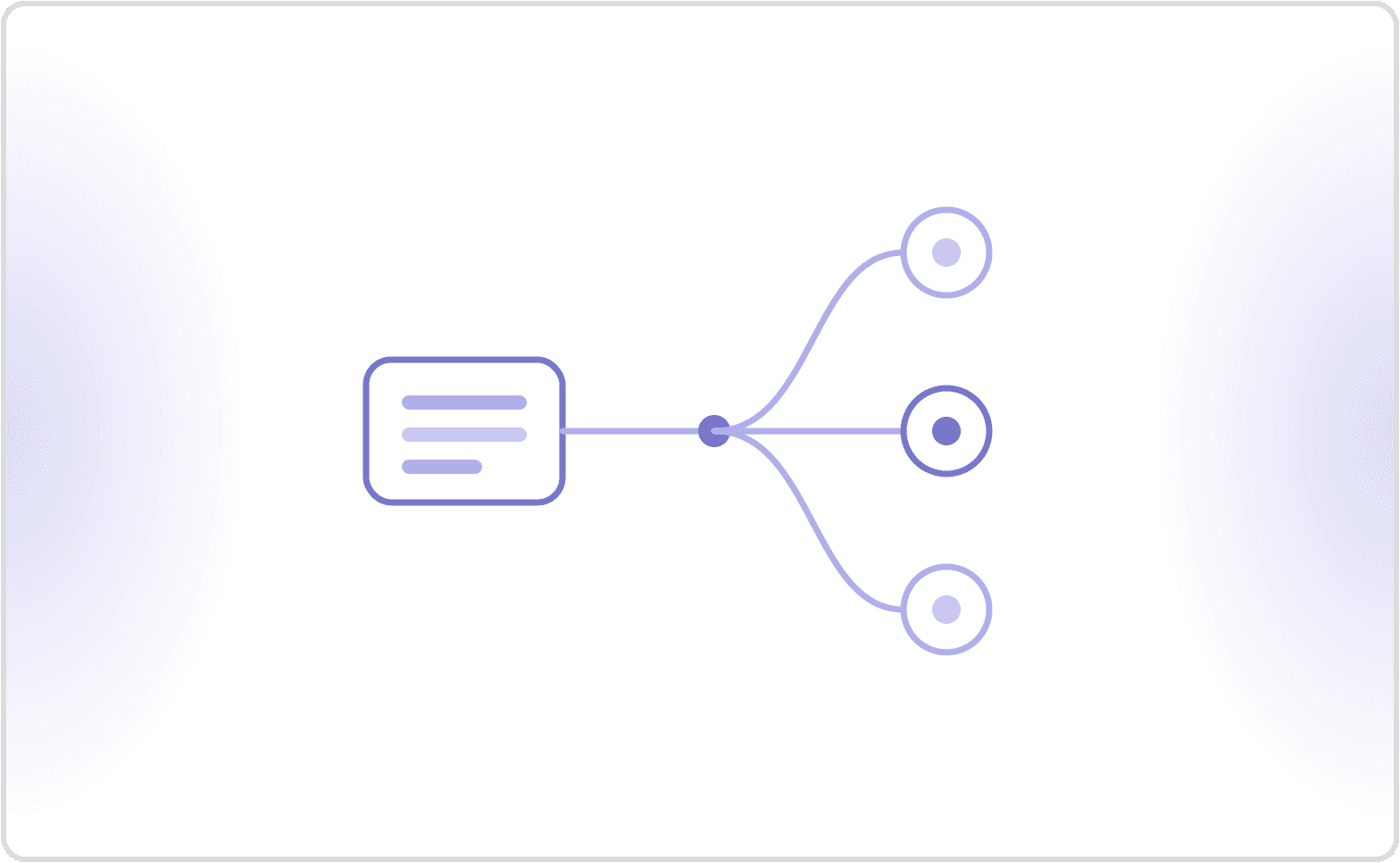
Three-stage prompt-change gate, from a text-mode pull request check, to a full audio suite in staging, to a canary slice of live traffic.

Three stages catch three failure classes. Text-mode evals on every commit, the full audio suite in staging, then a canary slice of live traffic before full rollout.

Correctness alone is not enough. Cekura's evaluation metrics work reports that more than 20% of runs flag a workflow adherence gap, and that safety and compliance evaluators flag more than 20% of calls in regulated verticals, so those evaluators belong in the gate too. See voice AI evaluation metrics.

What does each kind of regression failure tell you?

Each regression signal points at a different layer, and reading the signal wrong sends the fix to the wrong place. The table below maps what a suite reports after a prompt change to the mechanism behind it.

Signal after the prompt changeWhat it meansWhere to look
New failures on scenarios you did not touchThe prompt edit moved the decision boundary beyond the case it was written forTool selection and required-field collection on the failing scenarios
pass^3 drops while pass@1 holds steadyBehavioral variance, not a capability loss. The agent can still do the task and no longer does it every timePer-run diffs on the same scenario, looking for the run that diverges
p90 or p99 stretches while p50 holdsThe prompt got longer only on the harder scenariosOutput token counts on the slowest decile, then TTFT
Task completion holds but barge-in scores dropA timing regression the transcript cannot show. Callers are reading the longer gap as a dropped callEndpointing and interruption handling over real audio
Turn count rises with no change in outcomeThe agent is asking again or re-confirming, usually from an added instruction that reads as a verification stepRepeated confirmations and conversational conciseness
Scenarios fail on the caller's turn, not the agent'sScript desynchronization, not a regression. The recorded caller is answering a question the new prompt no longer asksWhether the suite replays a caller or simulates one

The last row is the one that wastes the most engineering time, because a desynchronized suite fails loudly and looks exactly like a real regression.

How to do regression testing on voice agents after prompt changes

Regression testing on voice agents after a prompt change means running the same versioned scenario suite that scored the old prompt against the new one, over real audio, and comparing results scenario by scenario. Cekura reuses the previous version's suite and evaluators unchanged, so the output is a diff rather than a fresh grade.

Five steps make a working gate. Pin the scenario suite and the evaluators to the previous prompt version. Run every scenario at least three times, because one pass on a non-deterministic system is not evidence. Score over real audio, not text alone, so endpointing and barge-in regressions are visible. Compare per-scenario deltas against the previous version instead of an absolute threshold. Block the deploy when task completion drops, turn latency percentiles stretch, or a compliance evaluator regresses.

The step teams skip is the first one. A suite rewritten alongside the prompt cannot detect a regression, because both sides of the comparison moved.

How to automate voice agent regression testing with a coding agent

Automating voice agent regression testing with a coding agent means letting Claude Code, Cursor, or a similar tool both maintain the scenario suite and run it, so the same agent that edits the prompt also reruns the gate. Cekura exposes an MCP server whose tools a coding agent calls directly, plus a CLI for environments without MCP.

The workflow has four steps. The coding agent edits the prompt, triggers the Cekura suite through MCP or CLI, reads back per-scenario scores, and either opens the pull request or reports which scenarios regressed. Assertions are behavioral rather than exact-transcript, because a prompt change legitimately rewords output while keeping the outcome correct.

Cekura covers this workflow in full, including GitHub Actions wiring and the common mistakes, in how to automate voice agent regression testing with a coding agent. This section is the short version for teams choosing a platform first.

How does Cekura gate a prompt change?

Cekura sits between the prompt edit and the deploy as one gate running the same suite on every platform in the table. Cekura generates and versions scenario suites, drives a simulated caller against Pipecat, LiveKit, Retell, Vapi, and ElevenLabs agents over real audio and real telephony, scores each run on custom and predefined evaluators, and reports a version-over-version diff at scenario granularity.

Four properties make that a gate rather than a report. Each scenario runs three times and reports pass^3, so flakiness surfaces before callers find it. Evaluators stay pinned to the previous version, so the output is a delta. Runs fire from CI or from a coding agent through MCP, so the gate is not a manual step. And Cekura owns voice synthesis and conversation management, so reruns do not require separate voice API keys per platform.

The practical cost is up front: a suite has to be built and baselined on your own tuned agent before any threshold means anything.

FAQ

What is pass^3, and why three runs?

Pass^3 is the probability that all three independent runs of the same scenario succeed. It comes from the pass^k metric introduced in the τ-bench paper, which showed reliability collapsing as k rises. EVA-Bench measured a 0.44 median gap between pass@k and pass^k on EVA-A, its composite accuracy metric. Cekura runs every scenario three times so intermittent failures are visible instead of averaged away.

Can I just replay recorded calls against the new prompt?

Not for a prompt change. Once the new prompt reorders or rewords a question, the recorded caller's next turn is answering something the agent no longer asked, so scenarios fail from script desynchronization rather than real regressions. Replay still works for ASR accuracy on fixed audio and tool payload shape. Validating dialogue behavior needs a simulated caller that reacts to what the agent actually said.

Can Pipecat Evals or LiveKit's test helpers gate a prompt change on their own?

They gate the logic layer, not the audio layer. Both run in text mode and skip STT and TTS by design, which is what makes them fast enough for every commit. Pipecat's own docs describe Evals as built for development and note that third-party platforms complement it at production scale. Audio, endpointing, barge-in, and telephony regressions need a run over real audio.

Do the benchmark pass^3 and latency numbers apply to my agent?

No. Every figure in Cekura's voice orchestration benchmarks is a platform default from one byte-identical agent, not a tuned configuration, and Cekura's benchmarks note that peaks rise once you tune to your use case. Use them to understand that reliability floors differ by orchestration layer, then baseline your own thresholds on your own tuned agent before gating anything.

Can the same regression suite run against agents on different platforms?

Yes, and the pass thresholds cannot be shared. Cekura runs one suite against Pipecat, LiveKit, Retell, Vapi, and ElevenLabs agents. Per Cekura's benchmarks on platform defaults, pass^3 for a byte-identical agent spanned 76.3% to 96.6% across six platforms, so an identical suite produces different floors and each platform needs its own baseline.

What triggers the regression run on a managed platform like Retell, Vapi, or ElevenLabs?

An agent update or a schedule, not a git commit. On Pipecat and LiveKit the prompt lives in your repository, so CI fires on the pull request. On managed platforms the prompt lives in a dashboard or behind an API, so the gate runs on a webhook from the platform, on a schedule, or on an explicit call from CI or a coding agent through Cekura's MCP server.

Prompt changes ship faster than regression suites get built, which is why most voice teams find out about a regression from a caller. Book a Cekura walkthrough to see a suite baselined against your own agent on your own platform.

Test your voice and chat agents with Cekura

Cekura simulates thousands of conversations before you ship and monitors every call in production — catching broken tool calls, prompt regressions, and instruction-following failures before your users hit them.

More from Discover

This website uses cookies

We use cookies to improve your browsing experience and analyze site traffic. By accepting, you consent to our use of cookies as described in our Privacy Policy.