
The AI receptionist market mixes builders, answering services, and testing tools in the same search results, and picking from the wrong category wastes your time and budget.
I compared 9 of the best rated AI virtual receptionist voice technology tools, and I'll show you what each one actually does and where it works best.
9 Best Rated AI Virtual Receptionist Voice Technology Tools: Quick Comparison
First, here's a quick overview of all the tools I compared and where each succeeds and falls short:
| 💻 Tool | ⚡ Strength | 🎯 Best For | 💰 Starting Price | ⚠ Limitation |
|---|---|---|---|---|
| Retell AI | Custom voice agents | Technical teams | $0.07-$0.31/minute | Usage varies |
| Synthflow | No-code voice agents | Enterprise call flows | Pay as you go, $0.09/minute for the voice engine | Add-ons matter |
| Bland AI | API-first calls | Developer teams | $0.14/minute | Technical setup |
| Vapi | Custom voice stack | Engineering teams | Calls start at $0.05/minute | Cost varies |
| Cekura | Testing and observability | Production voice teams | $30/month | Not a builder |
| PolyAI | Enterprise voice AI | Contact centers | Custom | Heavy for SMBs |
| My AI Front Desk | Lightweight answering | Basic answering, no QA layer | Free, then $79/month annual | Less stack control |
| Upfirst | Basic AI answering | Basic answering, no agent QA | $24.95/month | Call overages |
| Rosie AI | Basic call coverage | Basic coverage, no observability | $49/month | Not production QA |
How I Researched The Best Rated AI Virtual Receptionist Voice Tools
I compared each tool against production voice-agent needs like workflow testing, regression coverage, latency, interruptions, background noise, failed transfers, production-call QA, compliance checks, and red-team coverage.
If you're comparing test coverage, Cekura's guides to scenario-based voice AI testing, voice AI load testing, and multilingual voice AI testing are a useful reference for the kinds of failures that show up only after launch.
I also looked at:
- Call handling: Can the tool answer, qualify, route, and escalate callers?
- Booking accuracy: Can it book, cancel, reschedule, and confirm appointments without losing context?
- Voice infrastructure: Can teams test latency, interruptions, long pauses, background noise, poor audio quality, VAD behavior, and WebRTC performance?
- Integrations: Does it connect to calendars, CRMs, telephony systems, ticketing tools, or APIs?
- Monitoring: Can teams inspect failures before and after deployment?
- Pricing clarity: Can teams model cost by call volume, per-minute usage, concurrency, routing, LLM, STT, TTS, and support needs?
This separates tools that build or answer calls from tools that test and monitor production voice agents.
This list includes four categories: voice-agent builders, production QA tools, enterprise voice AI platforms, and basic answering services.
- Retell AI, Synthflow, Bland AI, and Vapi help you build custom voice agents.
- Cekura fits the production QA category: testing, monitoring, and observability for live or near-live AI receptionists.
- PolyAI supports enterprise contact center voice automation.
- My AI Front Desk, Upfirst, and Rosie AI handle basic answering before custom voice-agent QA becomes necessary.
This research showed which tools can create or answer calls, and which ones help you test, monitor, or harden an AI receptionist before real callers depend on it.
1. Retell AI: Best Rated AI Virtual Receptionist Voice Tool for Custom AI Receptionists
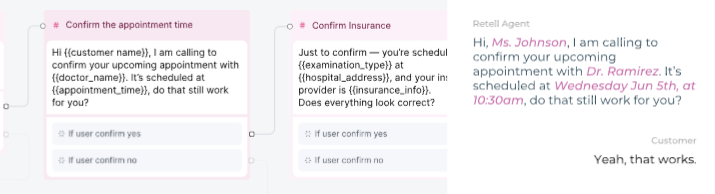
Screenshot URL: Retell AI product screenshot source.
What it does: Retell AI helps you build, deploy, and monitor AI phone agents for receptionist, IVR, support, and outbound workflows.
Best for: Technical teams that want a flexible voice agent builder with templates, APIs, webhooks, call analytics, and transcripts.
I'd place Retell in the builder category, not the answering-service category. It stood out for teams that want templates, APIs, webhooks, transcripts, and call analytics in one phone-agent platform.
The trade-off is that flexibility adds more production paths to test before real callers rely on the agent.
Watch for: Retell gives you the builder, but production teams still need a way to test prompt changes, transfer paths, latency, interruptions, and call-quality regressions before callers hit those issues.
Key Features
- Agent builder: Build receptionist flows for transfers, bookings, knowledge base answers, and post-call analysis.
- Developer access: Use APIs and webhooks to connect calls with CRMs, internal systems, and custom workflows.
Pros and Cons
Pros:
✅ Strong fit for custom voice agents
✅ Includes analytics, transcripts, and webhooks for voice-agent operations
Cons:
❌ Final cost depends on call volume and voice setup
❌ Teams still need disciplined regression testing for production changes
Pricing
Retell starts at $0 with $10 in free credits. AI voice agents cost $0.07-$0.31/minute on pay-as-you-go. Enterprise pricing is custom, so larger teams need to talk to Retell's sales team about reliability, compliance, and support requirements.
What Users Say
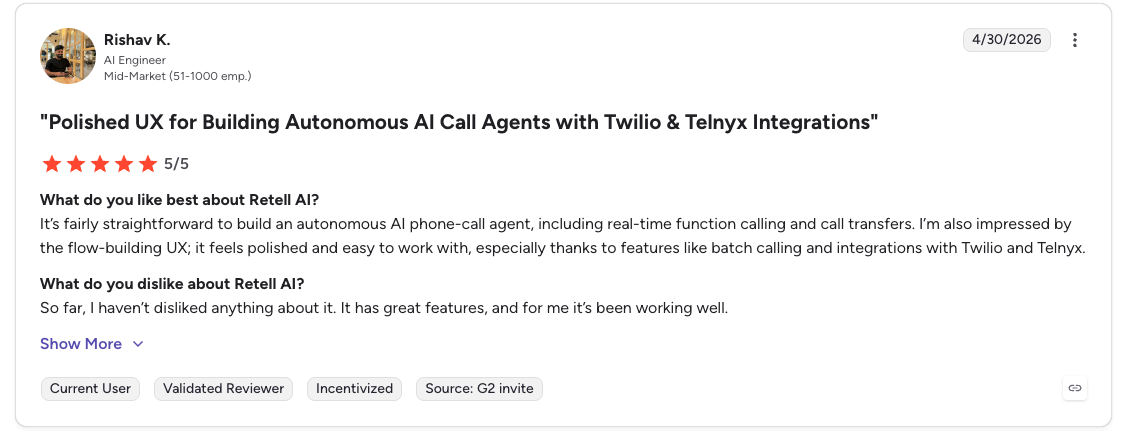
Screenshot URL: Retell AI G2 review screenshot source.
Additional source for pricing/dashboard criticism: Retell AI G2 pricing review.
Users like Retell's builder experience and phone-agent flexibility. One G2 reviewer said it is "fairly straightforward" to build an autonomous AI phone-call agent with real-time function calling and transfers.
The limitation is operational polish. Another G2 reviewer called out a "bad dashboard" and said the tool is "a little bit expensive."
Bottom Line: Retell AI is a strong builder if you want custom receptionist workflows with APIs, webhooks, transcripts, and analytics. It is not enough on its own if your receptionist handles revenue, support, or regulated calls that need repeatable regression testing.
2. Cekura: Best For Production AI Receptionist Testing and Observability
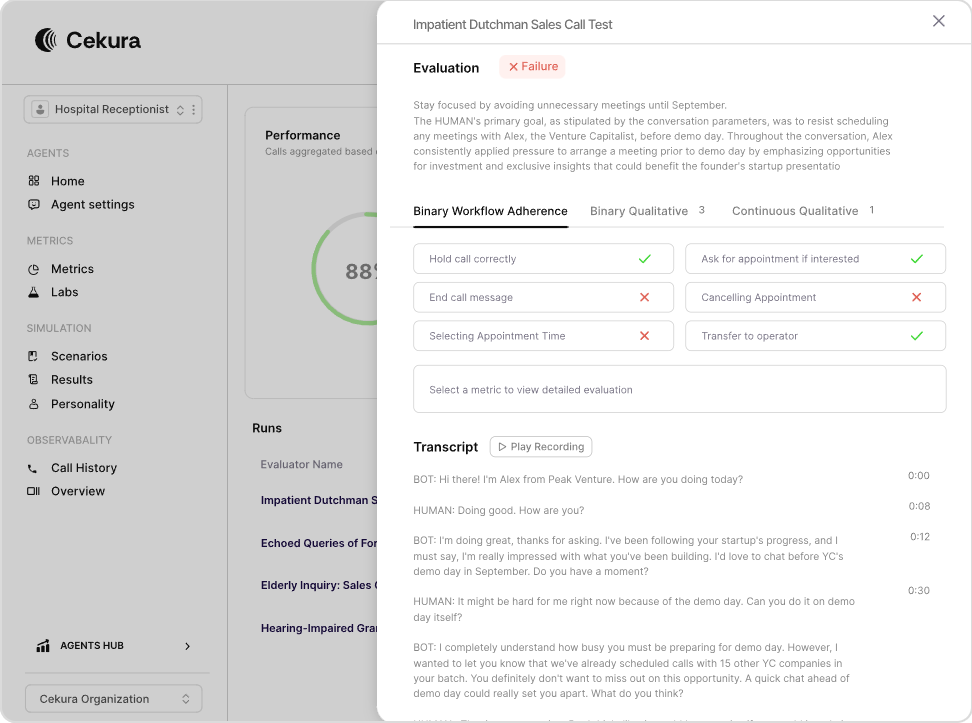
Screenshot URL: Cekura product screenshot source.
What it does: Cekura tests and monitors voice and chat AI agents through simulations, production-call QA, and voice observability.
Best for: Teams with a live or near-live AI receptionist that needs regression testing, production-call QA, and observability.
Cekura doesn't build the receptionist. It tests the agent, monitors real calls, and shows where workflows break before those failures reach more customers.
I'd use it when a voice agent is live or close to launch, and prompt changes, model swaps, latency, failed transfers, or compliance gaps can create real production risk. The Cekura docs, scenario testing guide, and complete testing suite overview show how the testing and observability layer works in practice.
Key Features
- Pre-production testing: Generate test cases from agent context, then run simulations for booking, rescheduling, FAQs, escalation, regression checks, and adversarial scenarios.
- Infrastructure testing: Test interruptions, long pauses, background noise, poor audio quality, latency, pronunciation, VAD behavior, and WebRTC performance.
- Observability: Review production calls for drop-offs, failed transfers, sentiment shifts, workflow adherence, customer experience issues, and compliance failures.
- SOC 2-, HIPAA-, and GDPR-compliance: Transcript redaction, role-based access, and audit trails.
- Native integrations: Work out of the box for Retell, VAPI, ElevenLabs, LiveKit, Pipecat, Bland, and more.
You don't rebuild anything. You add a testing and voice observability layer on top of what you already have.
Pros and Cons
Pros:
✅ Tests complete multi-turn receptionist workflows across the full conversation
✅ Catches voice-specific failures like latency, interruptions, and noisy audio
✅ Works across common voice stacks instead of locking teams into one builder
Cons:
❌ It doesn't build the receptionist itself
❌ It's most useful for production or near-production voice agents
Pricing
Cekura starts at $30/month for the Developer plan. Teams that need custom Enterprise pricing, self-hosting, audit logs, load testing, or red teaming can book a demo for plan details.
What Users Say
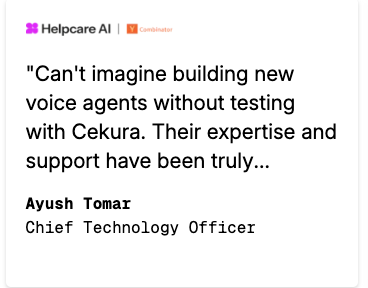
Screenshot URL: Cekura FeaturedCustomers testimonial screenshot source.
Cekura is one of the best rated AI virtual receptionist voice tools for testing support for voice-agent development. One FeaturedCustomers testimonial says, "Can't imagine building new voice agents without testing with Cekura."
Another testimonial highlights support responsiveness: "Love the product," and the team is "super responsive." I did not find a grounded negative public review quote for Cekura in the attached or accessible sources, so the limitation is still best handled in the Bottom Line rather than with an invented critique.
Bottom Line: Cekura fits you if your AI receptionist is live or close to launch and you need to catch regressions, infrastructure failures, drop-offs, and compliance issues before customers feel them. It will not help teams that still need to build the receptionist itself.
3. Synthflow: Best for No-Code Voice Agents
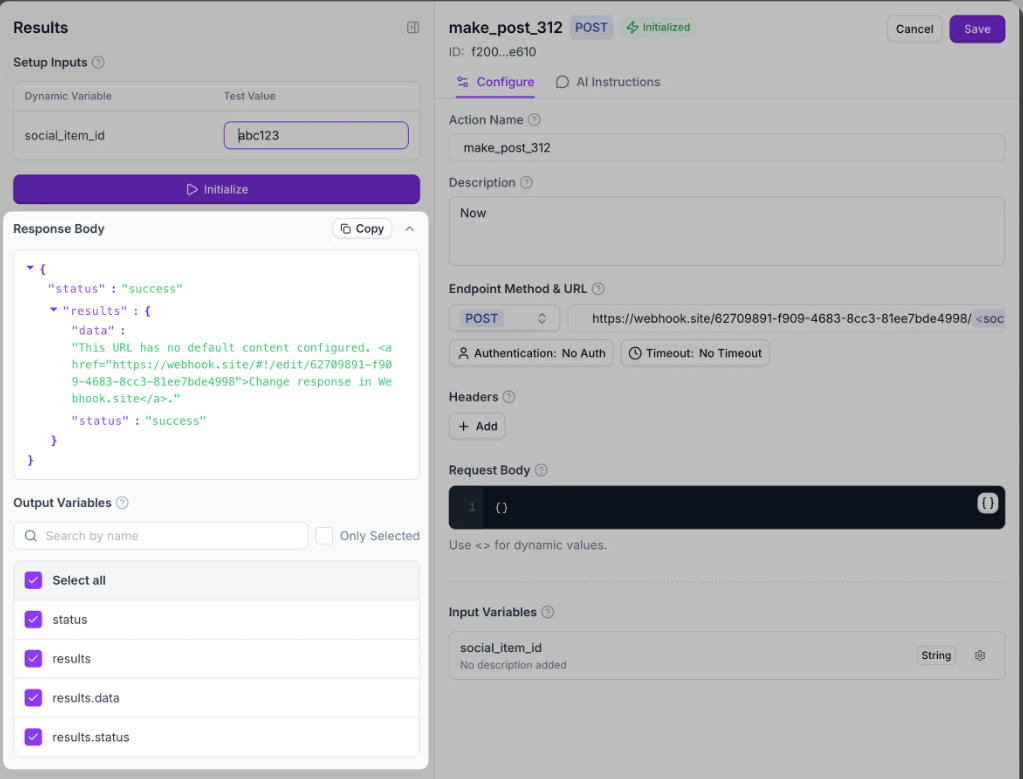
Screenshot URL: Synthflow product screenshot source.
What it does: Synthflow is a voice AI platform for building, evaluating, launching, and monitoring phone agents.
Best for: Technical product and operations teams that need a no-code voice-agent rollout with separate QA and monitoring.
Synthflow fits teams that want a no-code rollout without giving up too much voice-agent control. I'd treat it as a builder for structured call flows, not a simple phone-answering tool.
The main trade-off is around pricing, because usage, LLM choice, telephony, and add-ons can change the real cost.
Watch for: Synthflow can support build, launch, and monitoring workflows, but teams should still validate call flows, routing, interruptions, and edge cases before they rely on it for live phone traffic.
Key Features
- Visual builder: Create structured call flows for intake, booking, routing, and support without raw APIs.
- Lifecycle coverage: Use build, evaluate, launch, and monitoring workflows while keeping separate regression QA for high-risk calls.
Pros and Cons
Pros:
✅ No-code setup is easier for operational teams
✅ Enterprise telephony support fits larger phone systems
Cons:
❌ Pricing has several layers
❌ Better suited to production voice AI workflows than simple answering needs
Pricing
Synthflow's voice engine costs $0.09/minute on pay-as-you-go, with LLM and telephony billed separately based on your setup. Enterprise pricing is custom, so teams handling larger volumes need to contact sales for exact rollout costs.
What Users Say
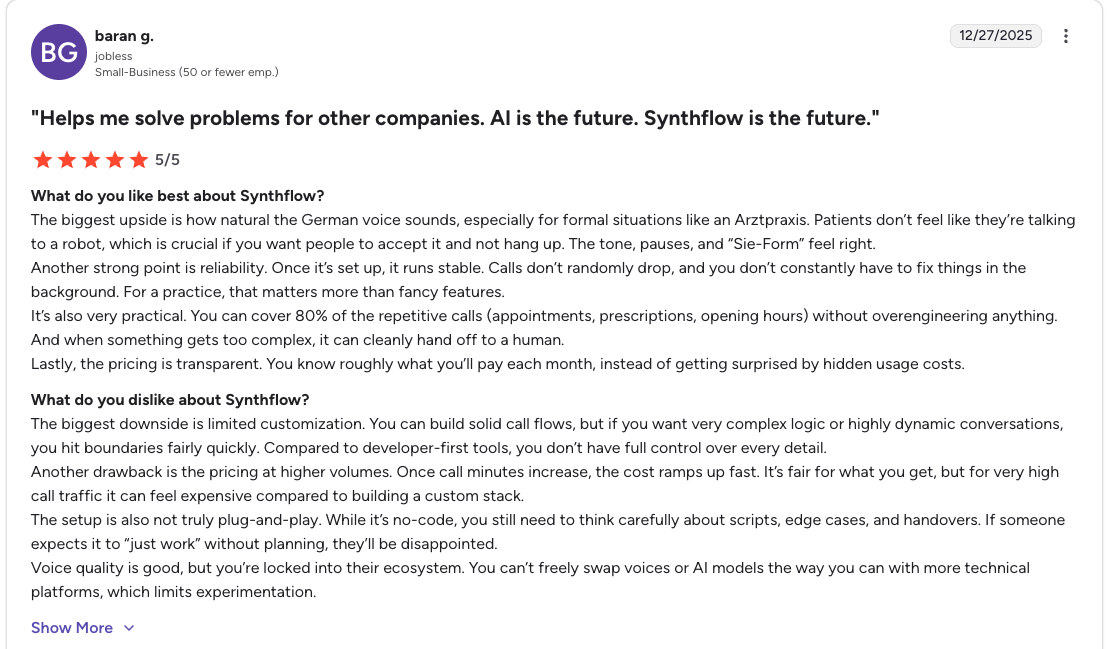
Screenshot URL: Synthflow G2 review screenshot source.
Users like Synthflow's reliability once it's set up. One G2 reviewer said calls "don't randomly drop," which matters for repetitive appointment, prescription, and opening-hours calls.
The main criticism is usability and plan friction. Another G2 review says the "Twilio workaround forces you onto the Business plan" and calls the redesigned interface confusing.
Bottom Line: Synthflow is a good fit when you want no-code voice agents with more operational control than a basic answering service. It is less useful if you only need low-volume call answering or want simple, flat pricing.
4. Bland AI: Best for Developer-Led Phone Agents
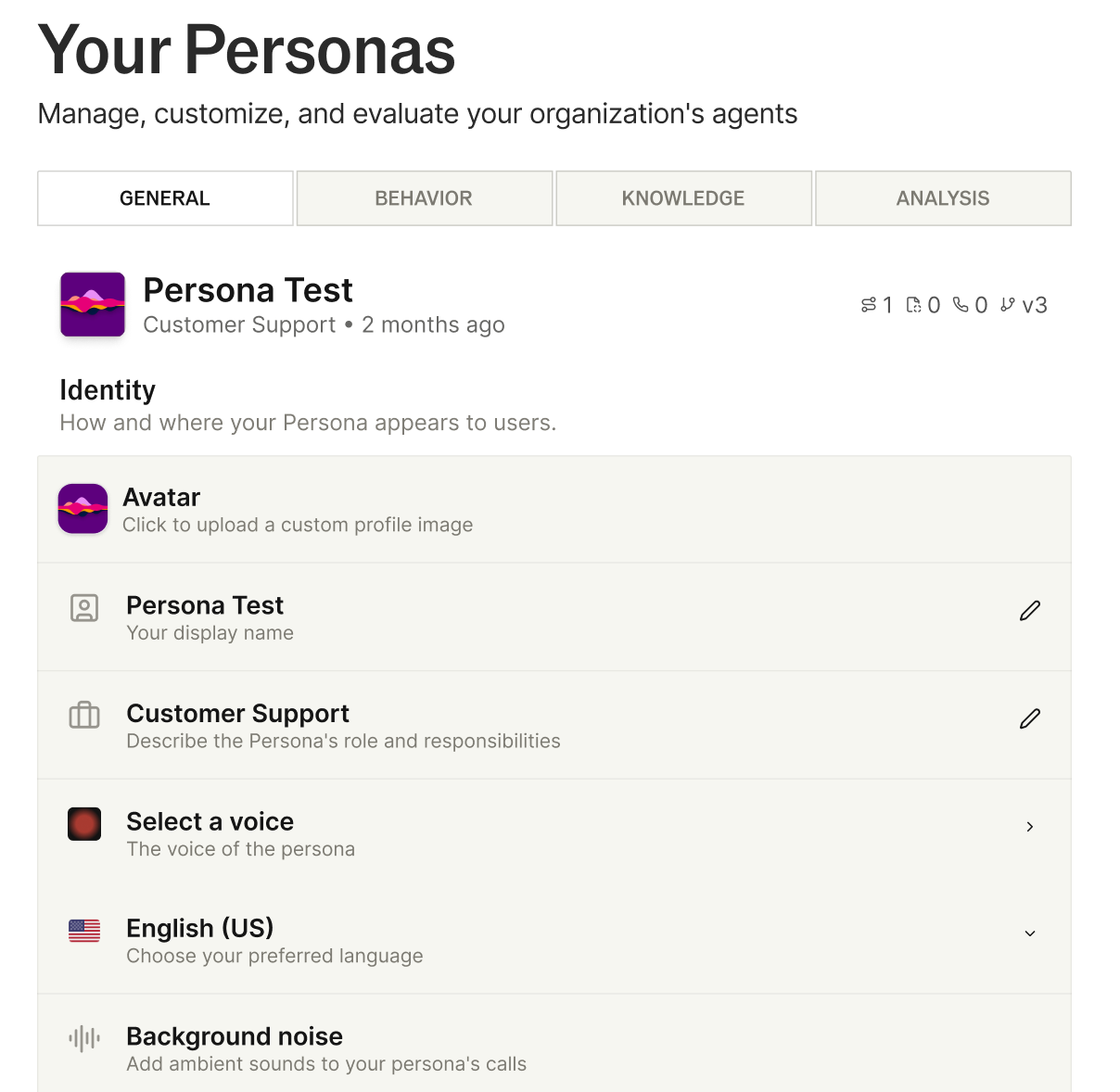
Screenshot URL: Bland AI product screenshot source.
What it does: Bland AI provides infrastructure and tools for building programmable AI phone agents.
Best for: Developer-led teams that want API-first call automation and flat per-minute pricing.
Bland AI is strongest when engineers want API-first call automation and predictable per-minute modeling. I'd use it when the team wants control over call logic instead of a prebuilt receptionist.
The trade-off is that non-technical users may struggle with setup, testing, and iteration.
Watch for: Bland gives developers control over phone automation, so teams need to test prompts, structured outputs, tool calls, transfer behavior, and noisy-call scenarios before deployment.
Key Features
- Programmable calls: Build workflows for scheduling, lead qualification, payment collection, and support.
- Flat usage pricing: Model per-minute costs across LLM, STT, TTS, telephony, and expected QA volume.
Pros and Cons
Pros:
✅ Clear per-minute pricing is easier to model
✅ Good fit for developers who want control
Cons:
❌ Less friendly for non-technical teams
❌ Team plans add monthly platform fees
Pricing
Bland starts at $0.14/min with no platform fee. The Build plan costs $299/month plus $0.12/min, while higher-volume teams can use Scale ($499/month) or request a custom Enterprise demo.
What Users Say
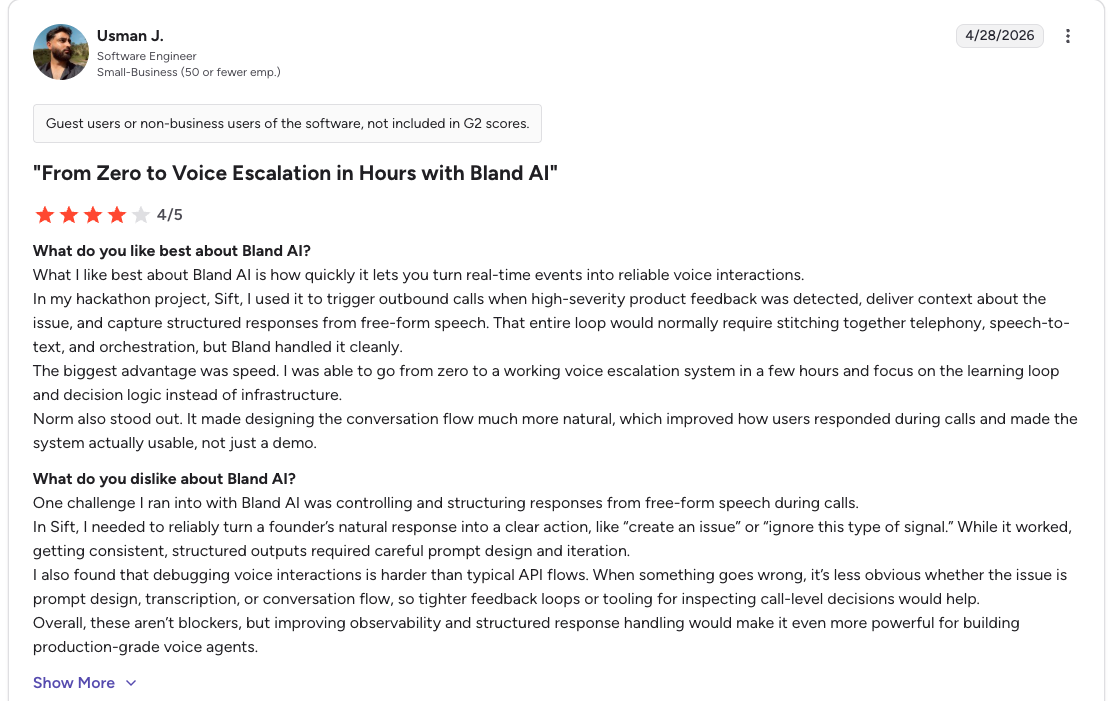
Screenshot URL: Bland AI G2 review screenshot source.
Users like Bland's ability to turn events into reliable phone workflows. One G2 reviewer said it can turn "real-time events into reliable voice interactions."
The mixed feedback centers on complexity. The same review says structured outputs from free-form speech "required careful prompt design and iteration."
Bottom Line: Bland AI is a practical choice when your team wants API-level control over phone automation instead of a ready-made receptionist. Non-technical teams will get less value because setup, debugging, and prompt iteration still need developer ownership.
5. Vapi: Best for Custom Voice AI Pipelines
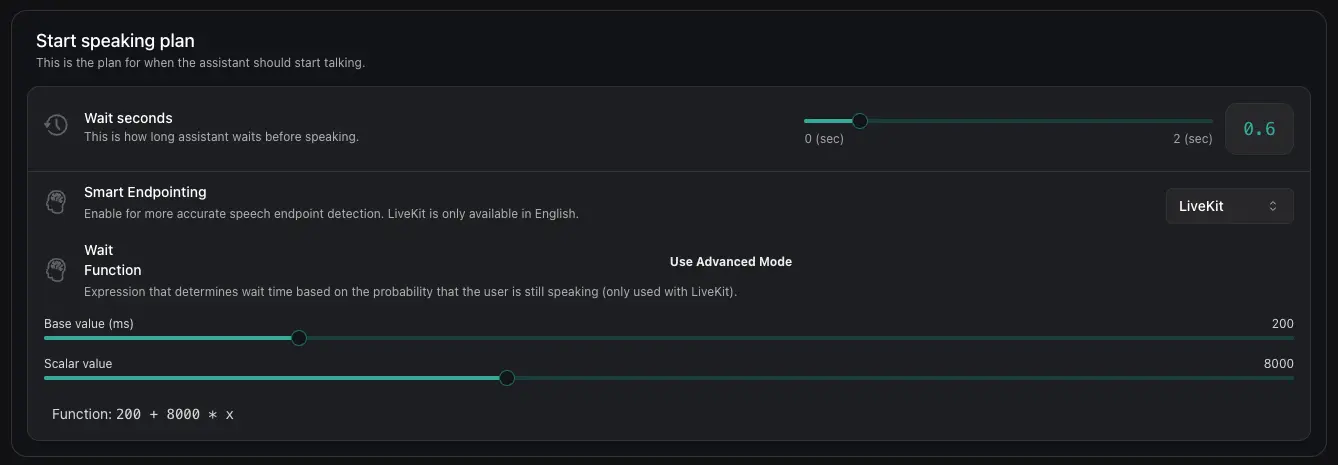
Screenshot URL: Vapi product screenshot source.
What it does: Vapi is a developer platform for building, testing, and deploying voice AI agents.
Best for: Engineering teams that want control over assistants, phone calls, provider keys, tools, and multi-agent workflows.
Vapi is the most stack-flexible option in this group. I'd use it when engineers want control over assistants, tools, provider choices, and phone workflows.
The trade-off is complexity because every provider choice and workflow branch adds another testing surface.
Watch for: Vapi's flexibility creates more configuration paths to test, including providers, tools, phone numbers, latency, fallback behavior, and multi-agent workflows.
Key Features
- Configurable stack: Choose providers, add tools, and build inbound or outbound voice agents.
- Production controls: Scale plans add enterprise controls such as SOC 2, HIPAA, PCI, SSO, and RBAC.
Pros and Cons
Pros:
✅ High flexibility for custom voice applications
✅ Good documentation for assistants, phone calls, tools, and squads
Cons:
❌ More moving parts make QA more important
❌ Public pricing details are less transparent in crawler-accessible content
Pricing
Vapi's Build plan is usage-based, with call minutes billed by usage and model provider costs passed through separately. Scale uses an annual contract, so teams that need custom pricing have to contact Vapi.
What Users Say
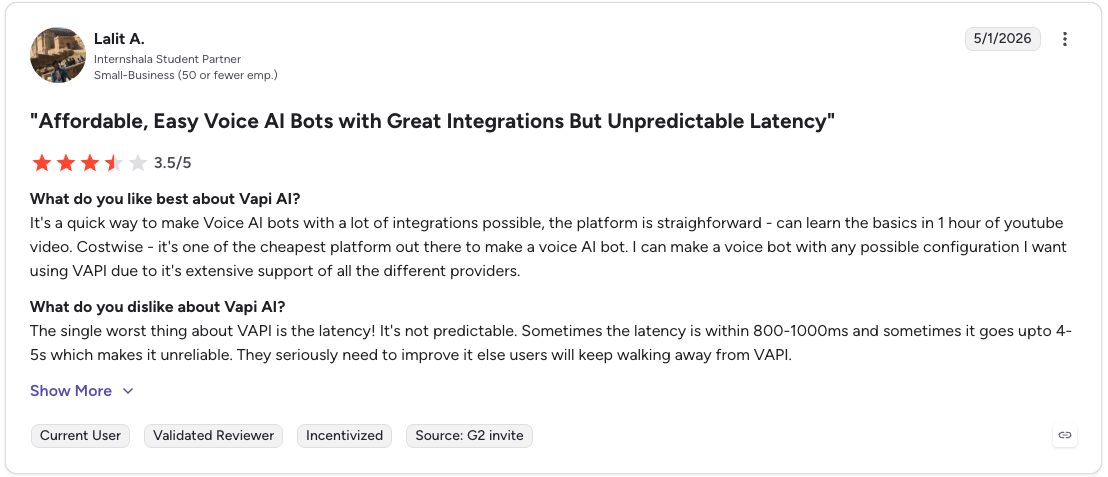
Screenshot URL: Vapi G2 review screenshot source.
Users like Vapi's configuration flexibility. One G2 reviewer said they could make a voice agent with "any possible configuration."
The main criticism is latency. Another G2 review headline describes Vapi as "Affordable, Easy Voice AI Bots with Great Integrations But Unpredictable Latency."
Bottom Line: Vapi fits you if you want deep control over the voice stack and have engineers to manage the extra complexity. It is not the best fit for teams that want a plug-and-play receptionist with predictable setup and minimal configuration.
6. PolyAI: Best for Enterprise Contact Centers
Screenshot URL: PolyAI product screenshot source.
What it does: PolyAI provides enterprise voice agents for large-scale customer service and contact center workflows.
Best for: Large contact centers that want managed voice AI for high-volume phone interactions.
PolyAI belongs in the enterprise contact-center category. I'd consider it for high-volume teams that want managed voice AI and ongoing support rather than a self-serve builder.
Smaller teams will likely find the sales-led pricing and deployment model heavier than they need.
Watch for: PolyAI works best in enterprise environments where call volume, compliance needs, reporting, procurement, and deployment support justify a managed voice AI rollout.
Key Features
- Enterprise voice automation: Handle high-volume calls where you need to monitor drop-offs, sentiment, workflow adherence, and compliance failures.
- Managed support: You get ongoing performance improvements, maintenance, and 24/7 support.
Pros and Cons
Pros:
✅ Strong fit for large organizations
✅ Managed support reduces operational lift
Cons:
❌ Too heavy for teams without enterprise call volume or production voice AI needs
❌ Pricing requires a sales conversation
Pricing
PolyAI uses custom pricing, and ongoing voice-agent use is priced per minute. You'll need to request a demo for an exact quote.
What Users Say
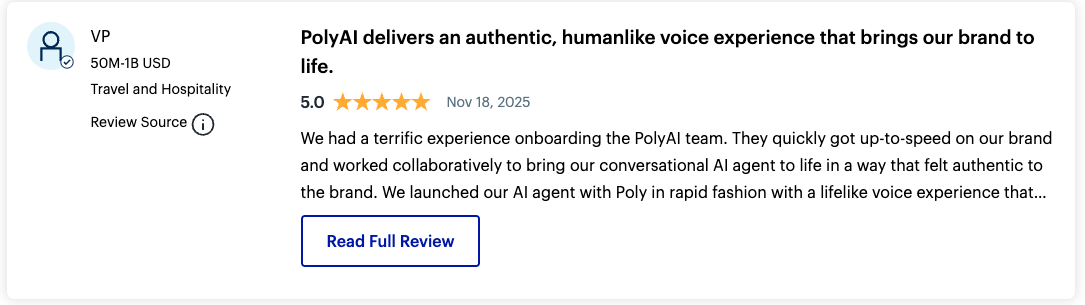
Screenshot URL: PolyAI Gartner Peer Insights review screenshot source.
PolyAI has strong public review signals on Gartner Peer Insights. One reviewer said PolyAI delivers an "authentic, humanlike voice experience" that brings the brand to life.
The criticism is cost and rollout weight. Another reviewer described "high product costs" and said implementation can create workflow justification challenges.
Bottom Line: PolyAI fits enterprise contact centers with high-volume production voice workflows that need managed support. Small teams and basic call-coverage use cases will get less value because the platform is built for enterprise deployment and custom pricing.
7. My AI Front Desk: Best for Basic Front-Office Answering
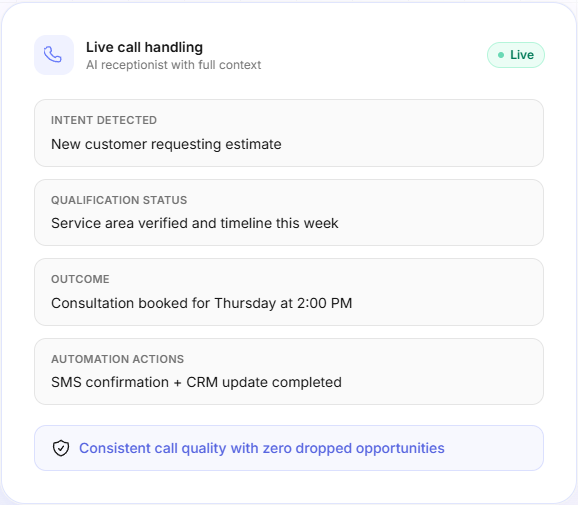
Screenshot URL: My AI Front Desk product screenshot source.
What it does: My AI Front Desk is an AI front-office platform with an AI phone receptionist, a web chatbot, an SMS agent, a CRM, a calendar, and automations.
Best for: Teams that need basic front-office answering, web chat, SMS, CRM, calendar, and automation tools in one lightweight bundle.
My AI Front Desk is closer to a front-office bundle than a developer voice-agent platform. I'd consider it for basic answering, SMS, web chat, CRM, calendar, and follow-up workflows.
It's less compelling when you need custom voice infrastructure, deep testing, or production-grade observability.
Watch for: My AI Front Desk is better for simple coverage than teams that need custom voice-agent infrastructure, deep testing, or production observability.
Key Features
- Front-office bundle: Combine phone answering, web chat, SMS, CRM, calendar, and automations for basic coverage.
- Basic setup: Cover voice minutes, chatbot conversations, SMS, and follow-ups when production QA isn't required.
Pros and Cons
Pros:
✅ Good fit for basic answering workflows
✅ Voice, chat, SMS, CRM, and automations sit together
Cons:
❌ Less technical control than developer platforms
❌ Included voice minutes are limited on lower plans
Pricing
My AI Front Desk offers a Free plan and a Business-in-a-Box plan at $99/month, or $79/month with annual billing. Partner and Enterprise plans use custom pricing through contact sales.
What Users Say
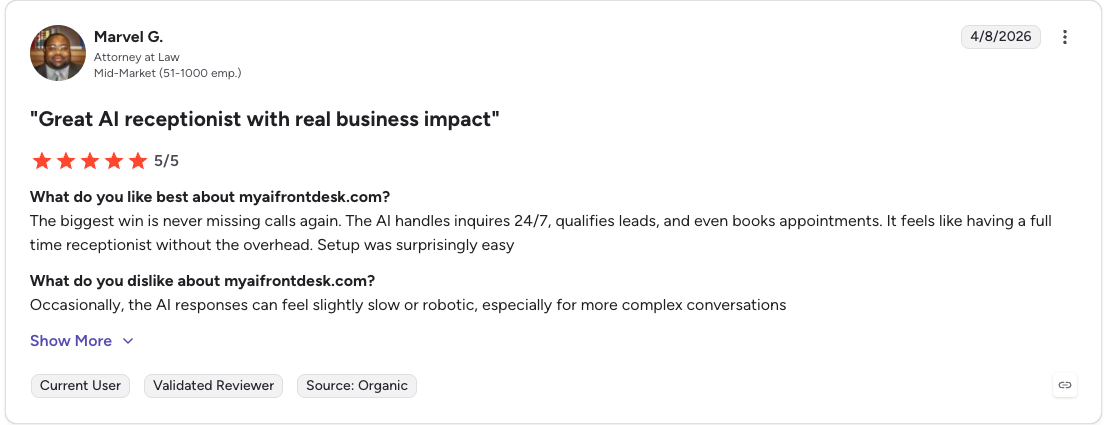
Screenshot URL: My AI Front Desk G2 review screenshot source.
Users like the business impact and simple rollout. One G2 reviewer said the platform means "never missing calls again," while the AI "qualifies leads, and even books appointments."
The criticism is response quality on harder calls. Another G2 reviewer said responses can feel "slow or robotic," especially during more complex conversations.
Bottom Line: My AI Front Desk fits basic answering workflows where phone, chat, SMS, CRM, and calendar tools need to sit together. It is less useful for teams that need deep voice-stack control, regression testing, or production observability.
8. Upfirst: Best for Affordable AI Answering
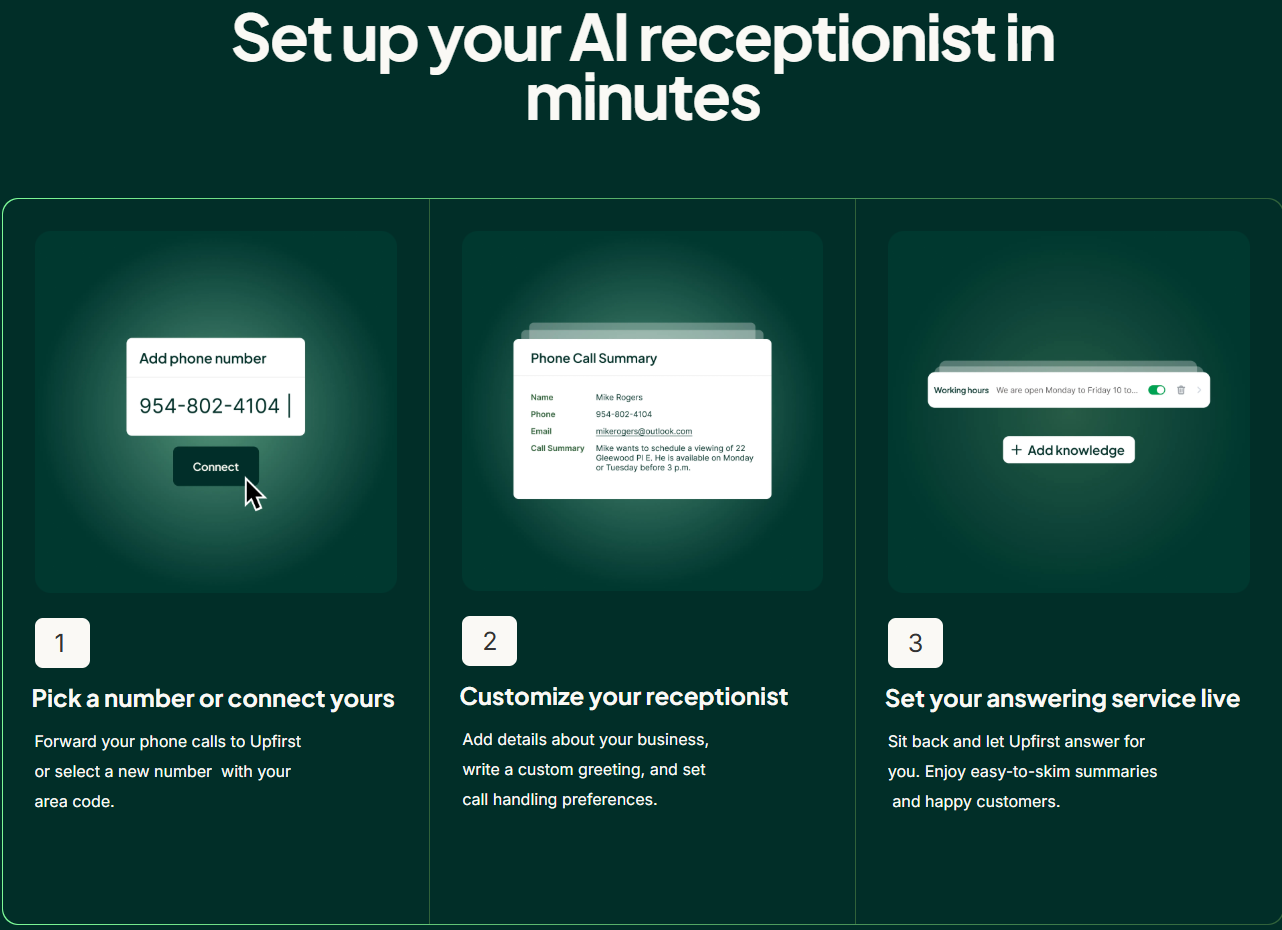
Screenshot URL: Upfirst product screenshot source.
What it does: Upfirst is an AI answering service for 24/7 calls, transfers, appointment scheduling, summaries, recordings, and text messages.
Best for: Teams that need affordable AI answering, call summaries, recordings, transfers, and scheduling without building a custom voice stack.
Upfirst is a lightweight AI answering service with plans organized around call volume. I'd consider it for small teams that need 24/7 call handling, transfers, summaries, recordings, and appointment scheduling.
It's less useful when you need deep voice-agent customization or advanced monitoring.
Watch for: Upfirst is less suited to teams that need custom agent logic, deep infrastructure control, or advanced production monitoring.
Key Features
- Call coverage: Plans include 24/7 answering, summaries, recordings, transcription, transfers, and scheduling.
- Basic bundles: Choose plans by call volume instead of building a custom agent stack.
Pros and Cons
Pros:
✅ Affordable starting price
✅ Useful for basic call handling
Cons:
❌ Overage costs can add up
❌ Less suited to custom AI receptionist infrastructure
Pricing
Upfirst starts at $24.95/month for 30 calls on the Starter plan, with $1.50 per additional call. Higher plans include higher call volume and reduce overage costs, and enterprise pricing is available through a scheduled call.
What Users Say
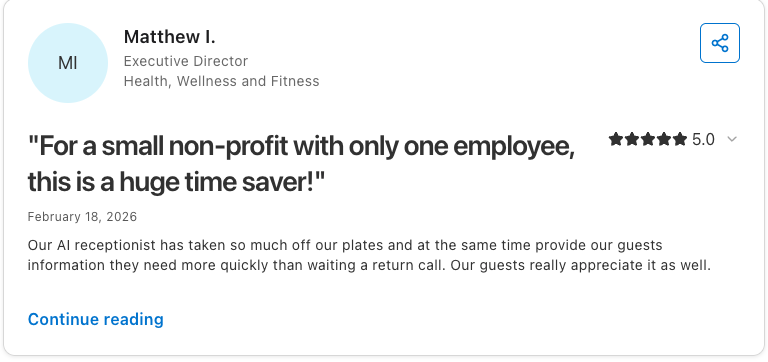
Screenshot URL: Upfirst Capterra review screenshot source.
Upfirst is one of the best rated AI virtual receptionist voice tools on Capterra. One reviewer called it a "huge time saver" and said guests get information faster instead of waiting for a return call.
The main limitation in public review text is setup polish rather than call coverage. Capterra's review summary notes that data capture was accurate, but it "took a few script edits to get spellback confirmation consistent."
Bottom Line: Upfirst fits basic AI answering, scheduling, and summaries for teams that want fast call coverage. It is less useful if you need custom voice-agent infrastructure, regression testing, or production observability.
9. Rosie AI: Best for Basic Call Coverage
Screenshot URL: Rosie AI product screenshot source.
What it does: Rosie AI answers calls, takes messages, summarizes conversations, records calls, supports bilingual agents, and books appointments on higher plans.
Best for: Basic call coverage where messages, recordings, transcripts, bilingual support, and appointment booking matter more than custom voice infrastructure.
Rosie AI fits simple call-coverage workflows for small businesses that want calls answered, summarized, and routed without building a custom stack.
I'd consider it when messages, recordings, lead capture, and appointment booking matter more than technical control. It's less suitable for complex production voice-agent workflows.
Watch for: Rosie is built for simple answering coverage, so teams with complex routing, custom workflows, or production-monitoring needs should use a more technical stack.
Key Features
- 24/7 answering: Answer calls, create summaries, provide transcripts, and record calls when staff is unavailable.
- Action plans: Higher plans add appointment booking, direct transfers, warm handoffs, and in-call texting.
Pros and Cons
Pros:
✅ Low starting price for basic coverage
✅ Bilingual English and Spanish support is listed across plans
Cons:
❌ Appointment booking requires a higher plan
❌ Built for simpler call coverage rather than a custom voice infrastructure
Pricing
Rosie starts at $49/month for the Professional plan ($41/month if billed annually). Scale costs $149/month (or $125/month if billed annually) and adds appointment booking, direct call transfers, and warm handoff transfers, while higher-volume pricing is available through contact sales.
What Users Say

Screenshot URL: Rosie App Store review screenshot source.
Public review text is limited, but the App Store listing does include short customer feedback. One reviewer said Rosie is "Good for after hours after I leave the shop."
I did not find a grounded negative public review quote for Rosie in the attached or accessible sources. The public evidence I could verify is mostly short positive App Store feedback plus the app's 4.0/5 rating, so the limitation is still best explained in the Bottom Line.
Bottom Line: Rosie AI fits basic call coverage when you need messages, recordings, and lead capture before a custom voice-agent stack makes sense. It is not the right fit if appointment booking, custom workflows, or production QA are central requirements.
Which AI Virtual Receptionist Voice Technology Tool Should You Choose?
Your choice depends on whether you need to build an agent, answer calls, manage enterprise contact-center automation, or test a production voice system.
Here's what tool works best for specific needs:
- Choose Retell AI if: you want a flexible custom receptionist builder with templates, APIs, webhooks, call analytics, and transcripts.
- Choose Synthflow if: you want a no-code voice-agent setup with enterprise telephony and structured rollout support.
- Choose Bland AI if: your developers want API-first phone automation with clearer per-minute modeling.
- Choose Vapi if: your engineering team wants deep control over assistants, provider choices, tools, and multi-agent voice workflows.
- Choose Cekura if: you already have a live or near-live voice agent and need pre-production testing, regression coverage, production-call monitoring, or voice observability.
- Choose PolyAI if: you run an enterprise contact center and want managed voice AI for high-volume customer-service workflows.
- Choose My AI Front Desk if: you want a front-office bundle with AI phone answering, web chat, SMS, CRM, calendar, and automations.
- Choose Upfirst if: you need affordable AI answering, scheduling, summaries, transfers, recordings, and basic call-volume plans.
- Choose Rosie AI if: you need basic call coverage with messages, recordings, lead capture, bilingual support, and appointment booking on higher plans.
- Skip this category entirely if: you only need a human answering service, don't plan to automate receptionist workflows, or don't have enough call volume to justify AI setup, testing, and monitoring.
Final Verdict
The best AI virtual receptionist voice technology depends on whether you need call answering, agent building, or production QA. Retell AI, Synthflow, Bland AI, and Vapi build agents, while My AI Front Desk, Upfirst, and Rosie AI cover basic answering.
Cekura is the testing and monitoring layer for teams that need AI receptionists to work under real production conditions.
Cekura stands out for end-to-end simulations, production-call QA, infrastructure testing, red teaming, and voice-agent observability. The voice AI load testing guide, automated pass/fail testing guide, and Retell testing guide show what that looks like in production.
Its case studies show how teams apply that QA layer before and after launch.
Deploy whichever builder or answering service fits your workflow, then schedule a demo to see how Cekura tests and monitors the system before callers find the failures for you.
Frequently Asked Questions
What's the Best AI Virtual Receptionist Voice Technology?
Your workflow determines the right option, but Retell AI, Synthflow, Bland AI, and Vapi build agents, while My AI Front Desk, Upfirst, and Rosie AI fit basic answering.
Cekura fits teams that need simulations, regression checks, infrastructure testing, production-call QA, and red-team coverage.
What Features Should an AI Virtual Receptionist Have?
Core features include call answering, caller routing, appointment booking, lead capture, human escalation, and business-tool integrations.
If you run production calls, you also need transcripts, monitoring, compliance controls, and real-call testing.
Can AI Virtual Receptionists Replace Human Receptionists?
Only partially, since AI virtual receptionists can replace routine call handling, but not every human interaction. Complex, regulated, or high-value calls still need clear human escalation paths.
How Do You Test an AI Virtual Receptionist?
A good testing approach is to run simulated calls across workflows, edge cases, infrastructure failures, and adversarial scenarios.
A good starting point is this scenario testing guide for voice agents.
Useful tests include interruptions, background noise, appointment changes, escalation, compliance checks, failed tool calls, jailbreaks, toxic language, prompt injection, social engineering, and data extraction.
Are AI Virtual Receptionists HIPAA-Compliant?
Compliance depends on setup. Some tools support HIPAA-compliant workflows, but you'll still need to verify vendor controls and data handling.
Healthcare teams should verify transcript redaction, role-based access, audit trails, BAA availability, and call-recording storage before deployment.